- 17 -
Accessing the Storage Server
Since you have made the connection between your computer and the
file server, and configured the computer’s IP address, you can access
the storage server through the following steps.
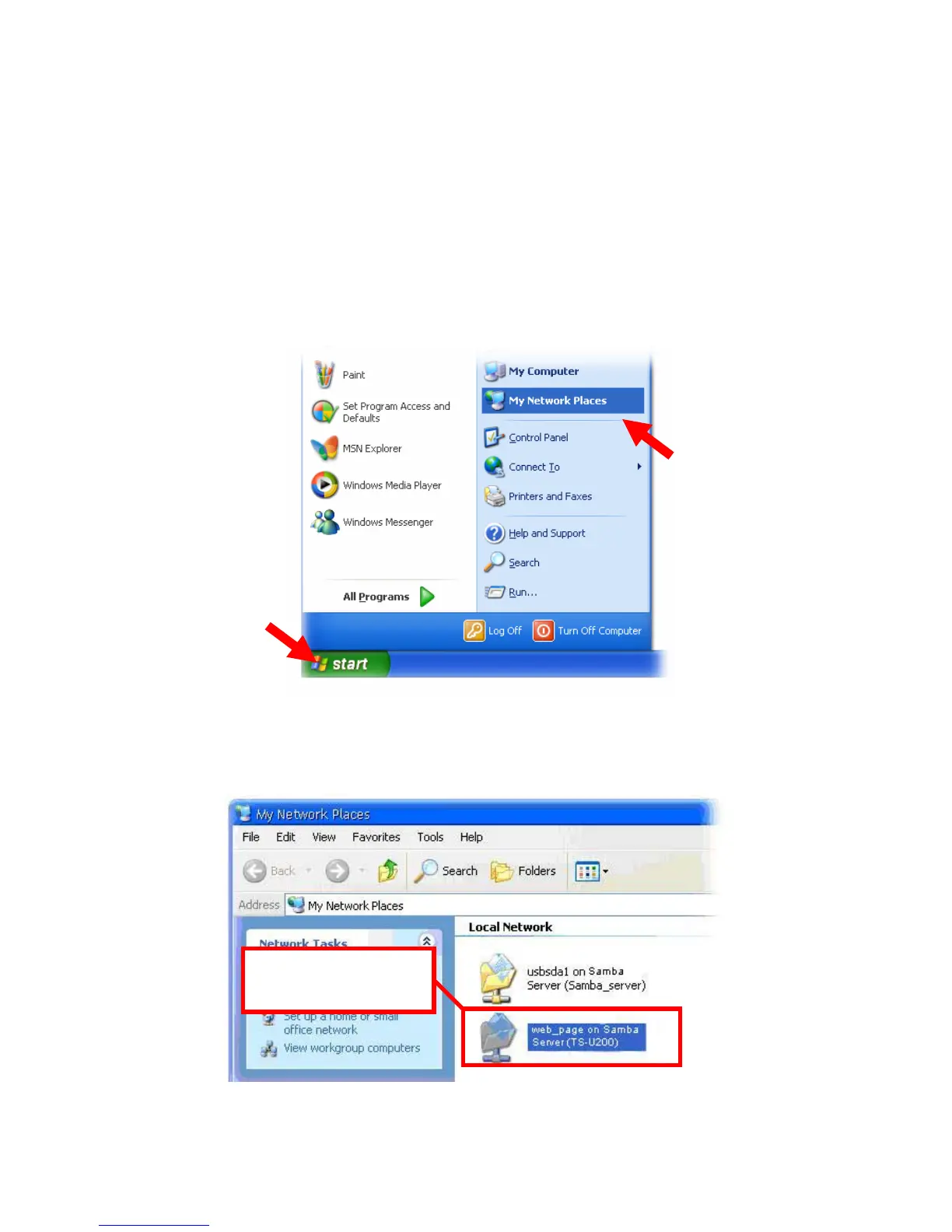
1. Click Start and choose My Network Places.
2. The storage server is named as Samba_Server(TS-U200). If
you connect the USB device, it also appears in the window.
Connected USB device;
double-click to browse
contents of the device.



 To Next Page