9
Mac OS X 10.1 ~ 10.6
1. Insert the provided driver CD into your CD-ROM drive. Double-click the CD icon
on the desktop and navigate to the directory of Driver\Mac_OSX. Copy and
then paste the PL2303_1.2.1r2.dmg file to the desktop.
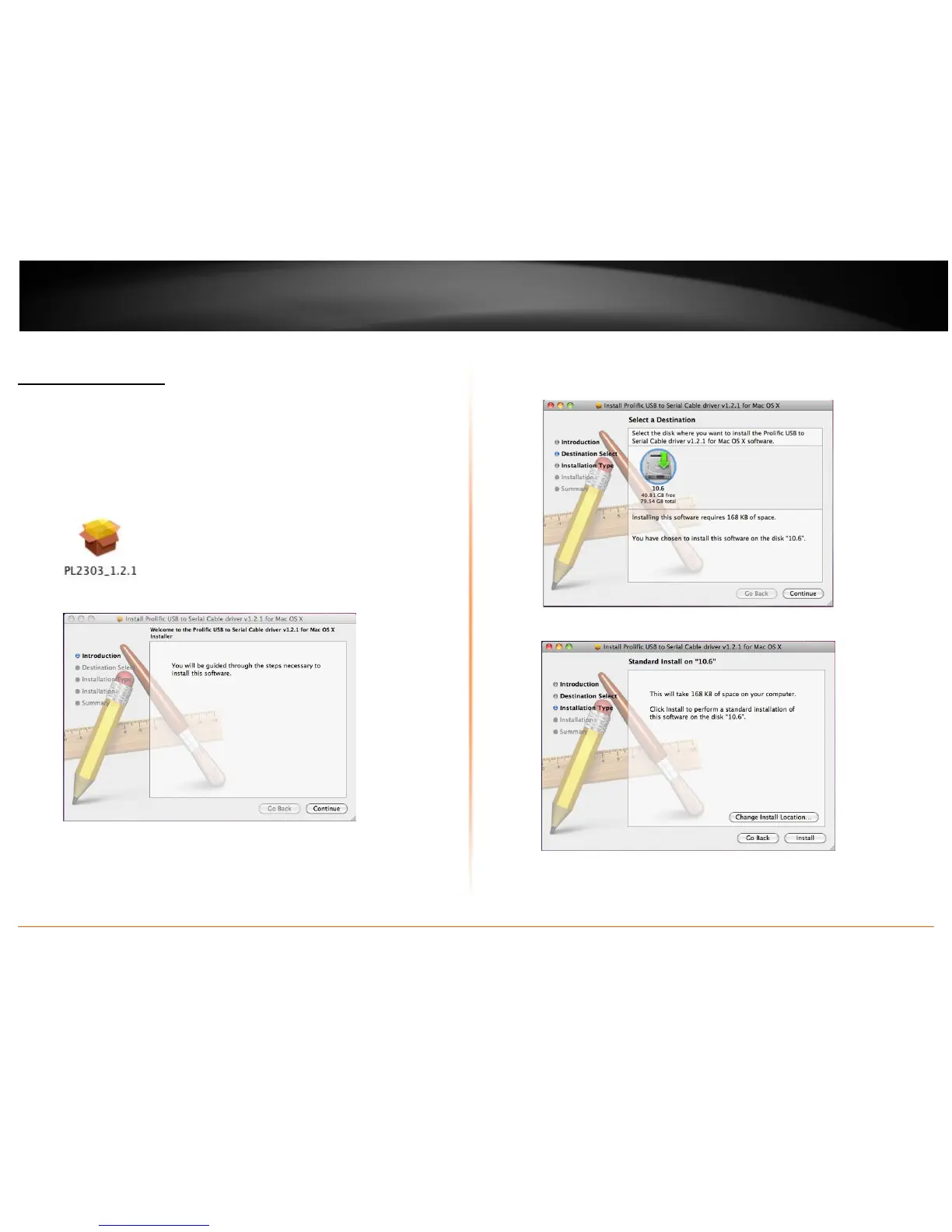
2. Double-click the dmg file on the desktop to extract the file. Then double-click
the PL2303_1.2.1 file that is extracted.
3. When the welcome screen appears, click Continue.
4. Select a destination disk to install the driver and click Continue.
5. Click Install.


 To Next Page