6
Verify the Driver Installation on Windows
To verify your converter installation, please launch Device Manager by the steps
below:
On Windows 7/Vista: Right-Click on Computer > Properties > Device
Manager.
On Windows XP/ 2000 / ME / 98SE: Right-click on My Computer >
Properties > System > (Hardware) > Device Manager.
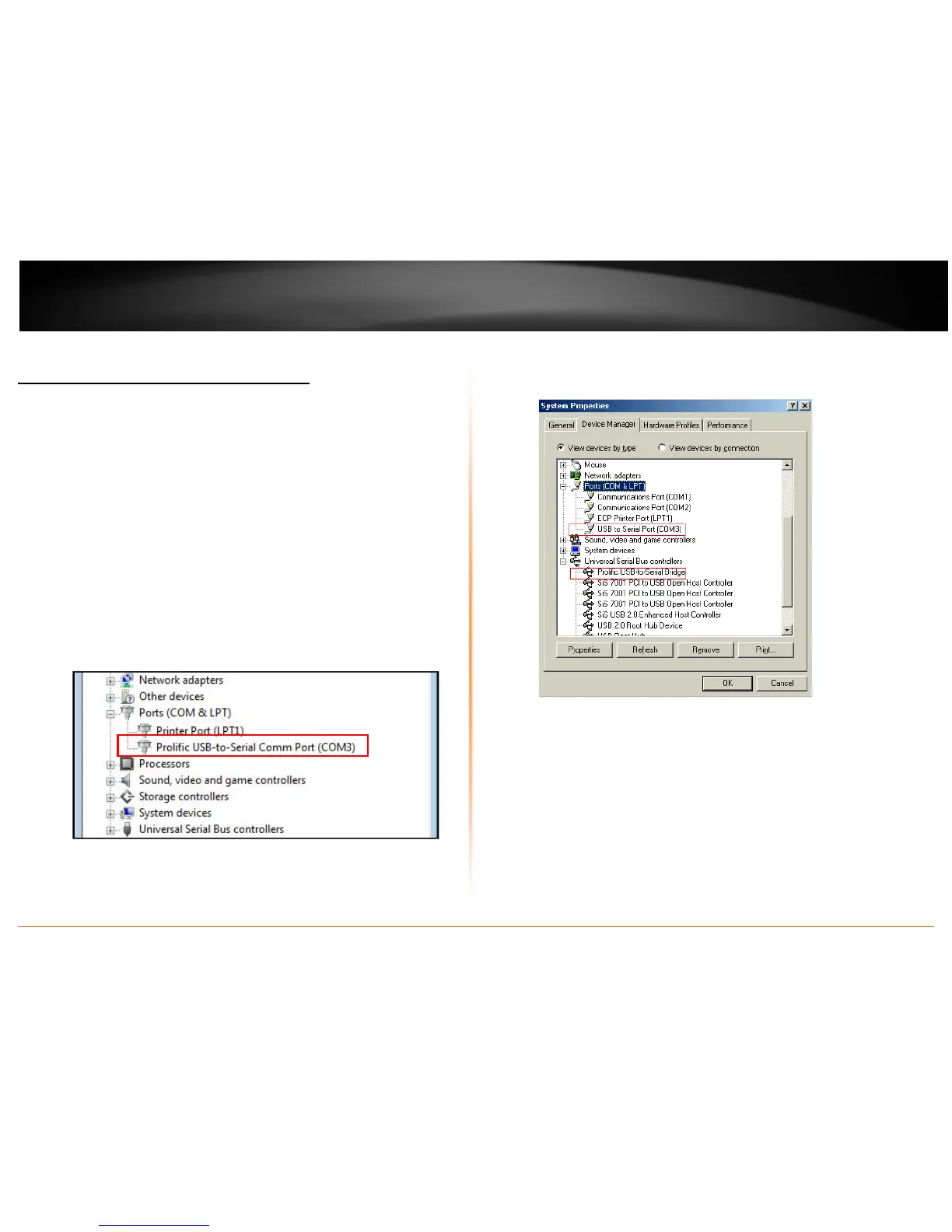
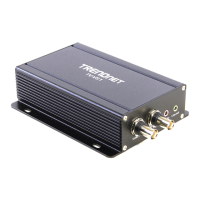
In the Ports (COM & LPT) group, a string similar to USB to Serial Port or Prolific
USB to Serial Comm Port should be displayed.
If there is a question or exclamation mark next to that item, then the driver is
not properly installed. Please delete the item and repeat the installation steps.
Windows 7 / Vista / XP / 2000
Windows 98SE/ME


 To Next Page