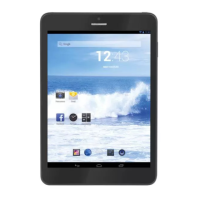
TAB 7 C4
20
WELCOME
Thank you for purchasing this tablet.
It brings you much convenience for your business (supports Word, Excel, send & receive
e-mails...) and entertainment (supports 3D game, chatting, movie playback, eBooks.....).
RunningonAndroid4.0,witha1GHzprocessorandhighlyresponsivecapacitivetouch
screen,itbringsyouwonderfuluserexperience.
Before beginning, please refer to this user manual carefully.
IMPORTANT NOTICES
•Thenewbatterywillbeinitsbestconditionafter2-3timesfullchargeanddischarge.
•Whileusingtheearphone,ifthevolumeisexcessivelyhighitmaycausehearingdamage.
So please adjust the volume of the player to a moderate level and balance the time of
using.
•Donotdisconnectthetabletsuddenlywhenformattingoruploadinganddownloading,
whichcanleadtoprogramerrors.
•Donotdismantlethetabletbyyourself,anddonotusealcohol,thinnerorbenzeneto
clean its surface.
•Thetabletisnotmoistureandwaterresistant.Pleasedonotuseitinadampenvironment.
•Donotdroporhitittohardsurface,orthescreenmaygetdamaged.
•Donotupgradethefirmwarebyyourself.Thiswouldcausedamagetoyourtablet.
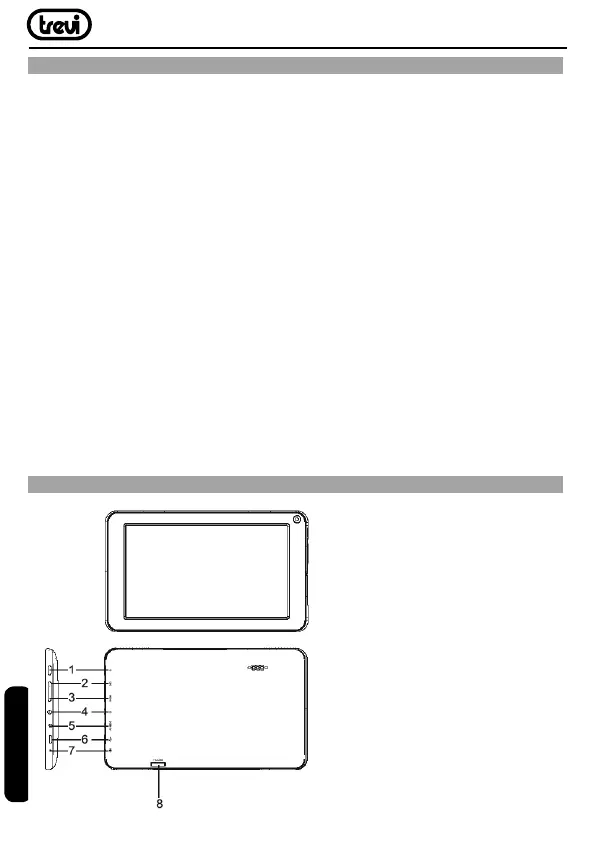
KEYS AND FUNCTIONS
1.Power:Presstoturntheuniton,orto
turn the screen on or off.
PressandholdtoaccessthePower
Off menu.
2.ESC:Pressthisbuttontoreturntoa
previous screen.
3.MENU:Presstoviewtheoptionmenu.
4.Headphone:Audiooutputconnection
for headphones.
5.DCIN:Connecttoanadapterora
computertosupplypower.
6.USBHOST:ConnecttoaUSBdevice.
7.MIC:UseinternalMICtorecordvoice.
8.TFCARD:LoadexternalmicroSD
memory cards here.
ENGLISH


 To Next Page