Model 301SP Tube Squaring Machine
92-0579 Rev. 190612 11
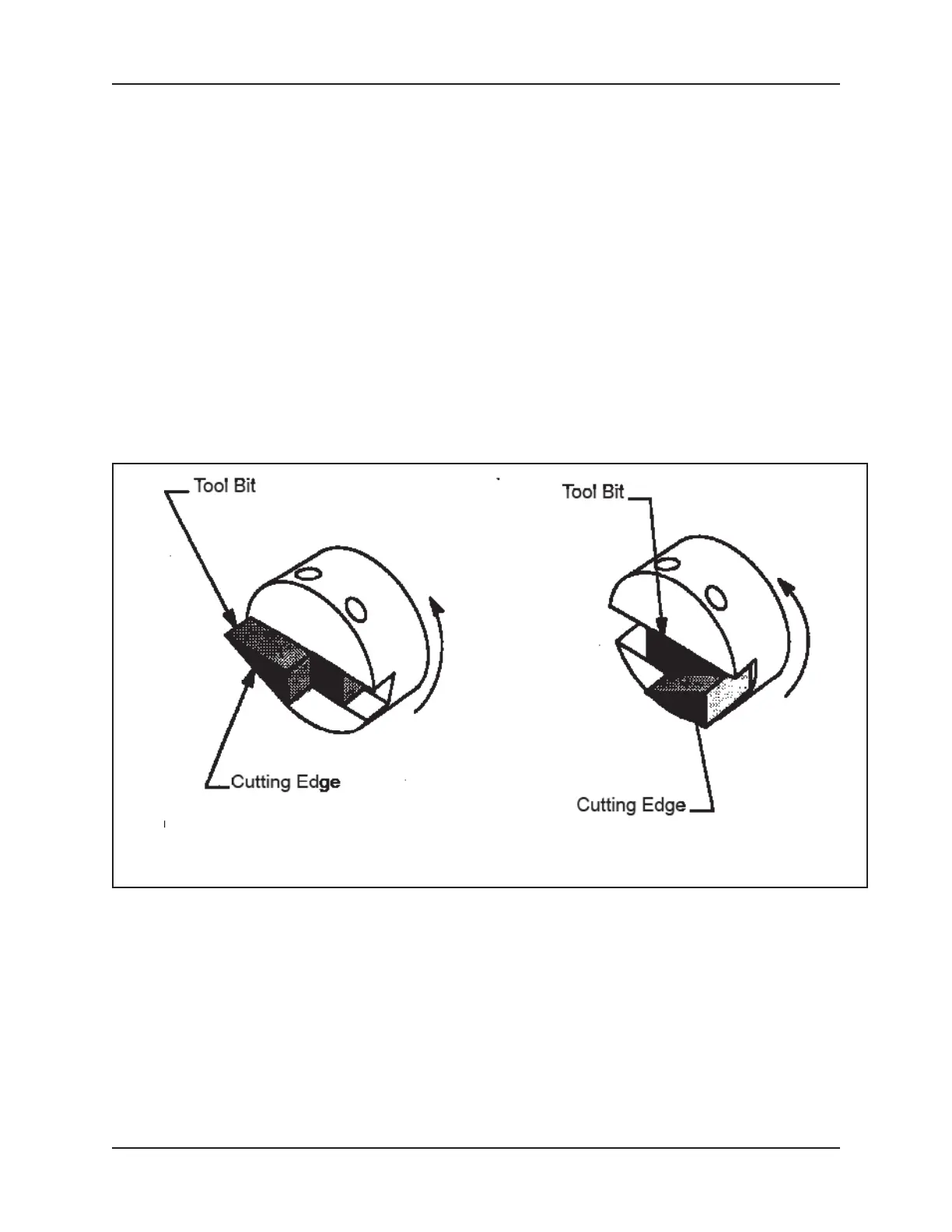
1. InsertthetoolbitintotheslotintheCuttingHead,refertotherstpartof
Fig 3. Do not install the tool bit backwards.
2. Tighten the set screws to secure the tool bit to the Cutting Head.
• The cutting edge of the tool bit must be located on the radial
centerline.
• This position is used for .50” (12.7 mm) and smaller diameter tubing.
Virtually no burr is left on standard tubing. Use slow cutting speeds
with Electro-polished to minimize the ID burr.
• The tool bit may be reversed, refer second part of Fig 3. Use the
reversed position for tubing with an ID greater than .50” (12.7 mm). The
extreme shear cutting action will virtually eliminate the burr on the ID.
• Minimum burr may be obtained with a slow RPM and a slow feed,
which cuts a continuous chip.
Figure: 3. Tool Bit Installation
6.3 Select and Install a Saddle
1. SelectaSaddle,refertoSection8,SaddleSets.ThesizeoftheSaddleis
determined by the outside diameter of the tube or pipe to be squared. Do
not drop the Saddle. Always place a hand under the Saddle when installing
or removing it from the Model 301SP.
2. PlacetherstSaddlehalfwiththetwoclearanceholesinthefrontofthe
Housing.
3. Thread in the two Cap Screws to hold the Saddle half into the front of the
Housing.


 To Next Page