32
Rev. 05 - 2011 - B
TDX Service Tool
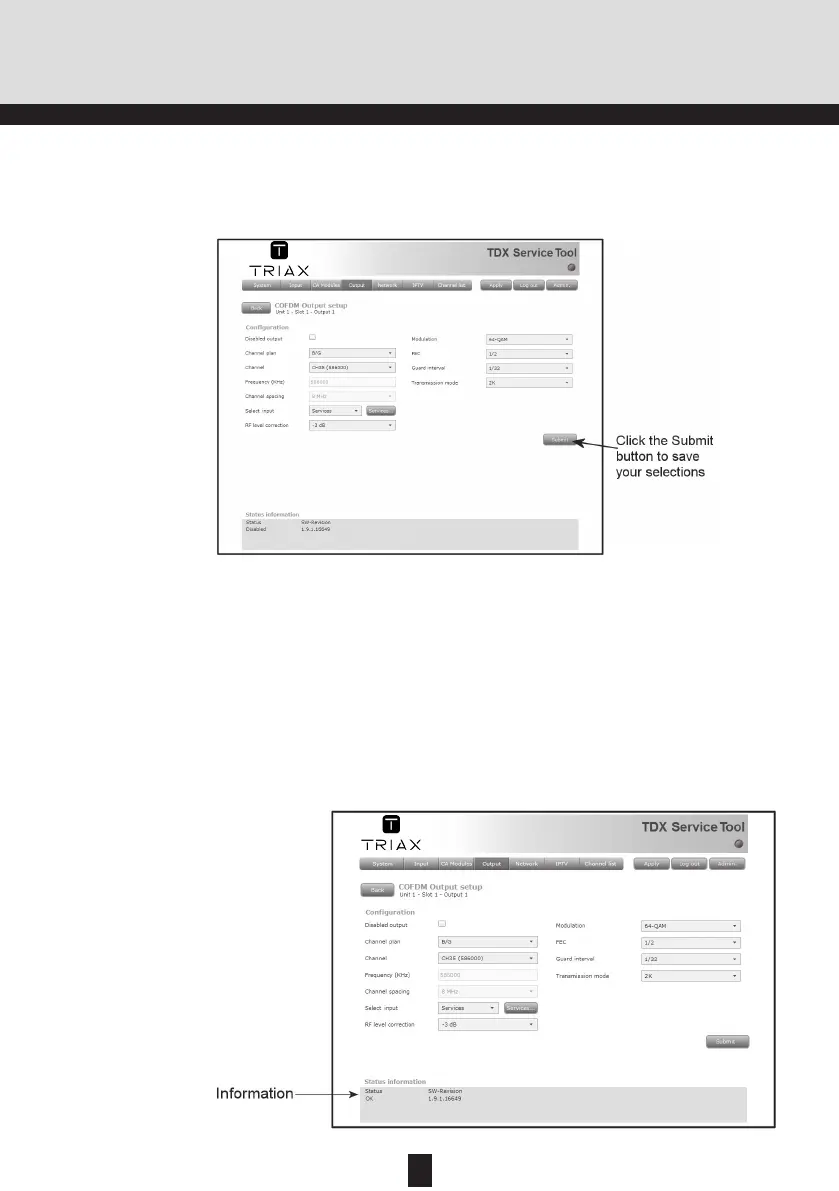
When you have selected or inserted the values you want you have to click
the Submit button to enter this information into the headend system and re-
turn to the Output window.
Remember to click the Apply button in the upper right-hand corner to save
new settings in the configuration.
Status informa-
tion
SW revision
Displays the software version of the output module.
Status information is placed at the bottom of the Configuration window. The
information displayed in the configuration window of a COFDM module in-
cludes revision of software.
Status
Informs you about the state of the output module.


 To Next Page