14
Rev. 05 - 2011 - B
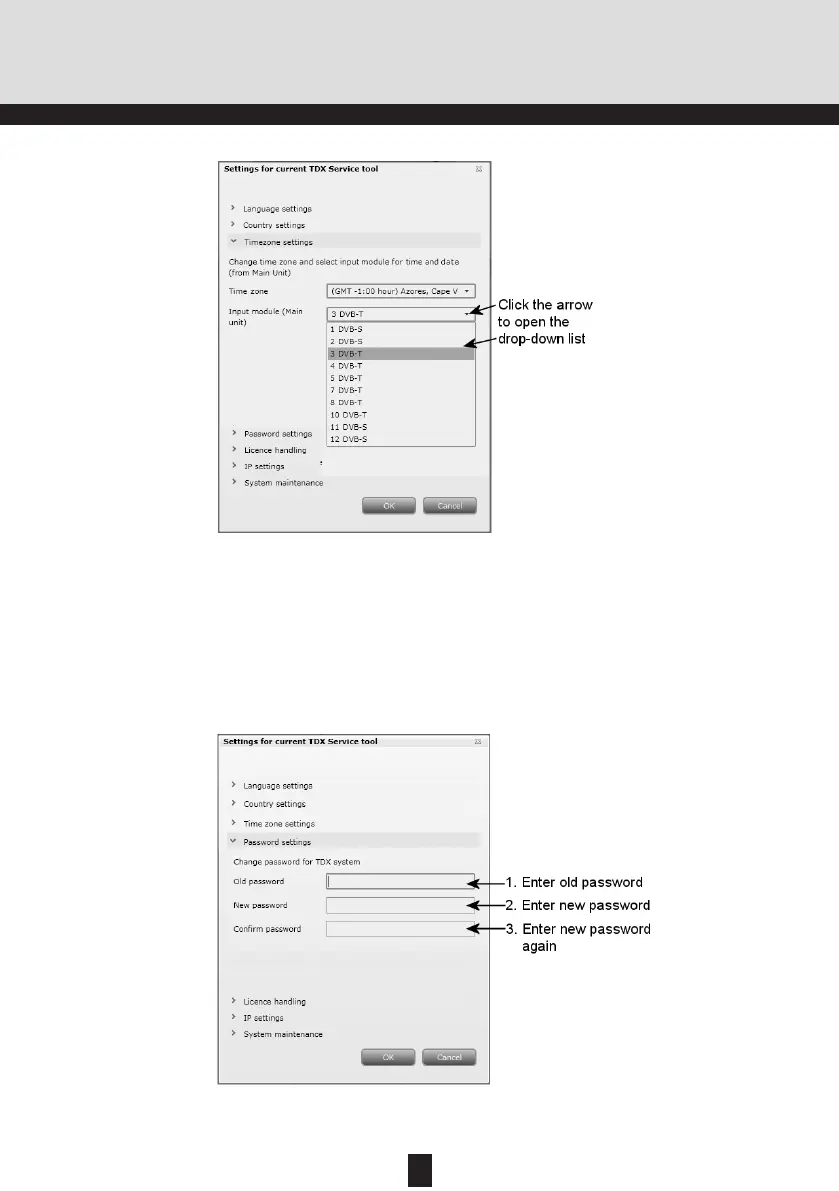
To verify the new password enter the new password once more in the Con-
firm password field.
Select the input module you want to use for setting the time. The input mod-
ule you selected is now displayed in the Input module field.
To enter the Password settings area, click the arrow bracket to the left of
Password settings.
TDX Service Tool
Password
settings
To change password enter the old password in the Old password field.
Enter the new password in the New password field.


 To Next Page