40
Rev. 05 - 2011 - B
TDX Service Tool
Update
firmware
When firmware updates for your TDX system is available on the Triax home
page, www.Triax.com, you can download these updates to your computer
and then upload the updates to your TDX system using the Administration
window.
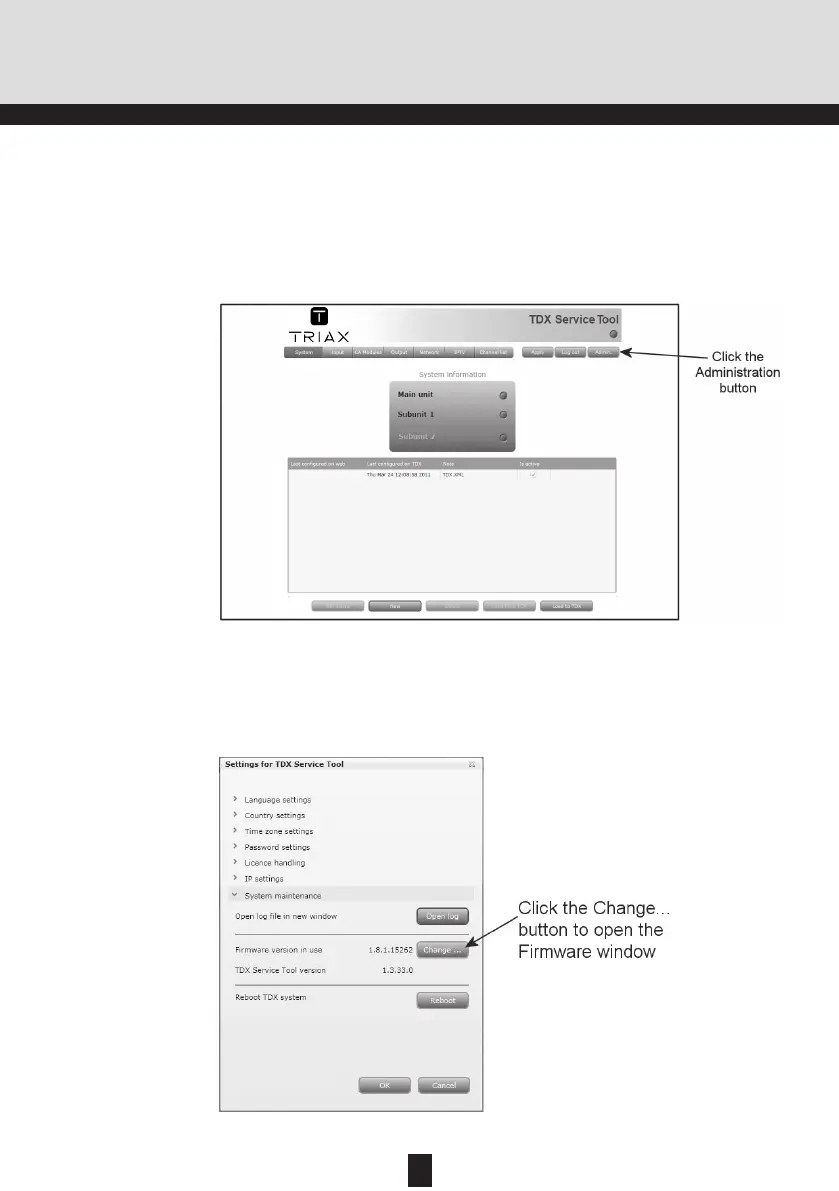
Click the Admin. button in the top right-hand corner of the TDX Service Tool
window to open the Administration window.
Click the Change... button to the right of the version number of the current
firmware to open the Firmware window.
To enter the System maintenance area, click the arrow bracket to the left of
System maintenance.


 To Next Page