EasyManua.ls Logo

Triax TSC 114 - Quick Guide to Setup; Initial Installation Overview

Triax TSC 114
52 pages
Print Icon
To Next Page IconTo Next Page
To Previous Page IconTo Previous Page
Loading...
8
Quick Guide
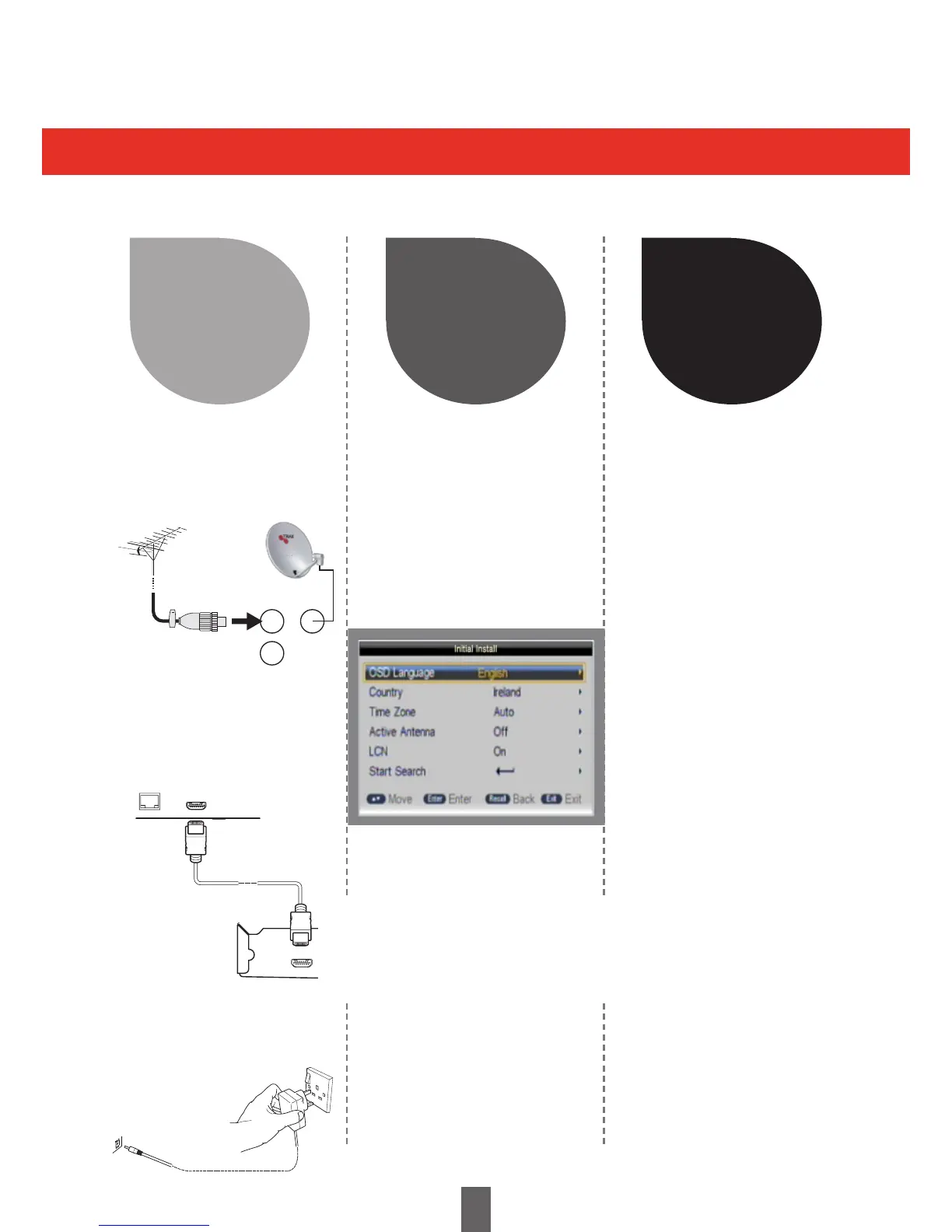
Initial installation overview
Follow the steps below one by one when using the Receiver for the first time
2 3
Watch TV
Run the
Initial Settings
1 Turn on the standby button
on the Receiver (Page 10)
1 Congratulations!
You can now watch TV
2 If neccessary, adjust
the antenna to attain
maximum signal
reception
2 Run the first time
installation (Page 9)
Ensure the antenna and / or
satellite is connected
Highlight Start Search
Press ENTER to continue
Start Searching Channels
USB
SPDIF
HDMI
2-CH AUDIOOUT
L
R
CO
Preparation
1
1 Connect the antenna
cable to the RF IN
terminal and Satellite
cable to LNB in
2 Connect the Receiver
to your TV using the
supplied HDMI cable
3 Connect the power
adapter to the Receiver
and switch socket on.
OPTICAL HDMI
RF in LNB in
RF out

Table of Contents

Related product manuals