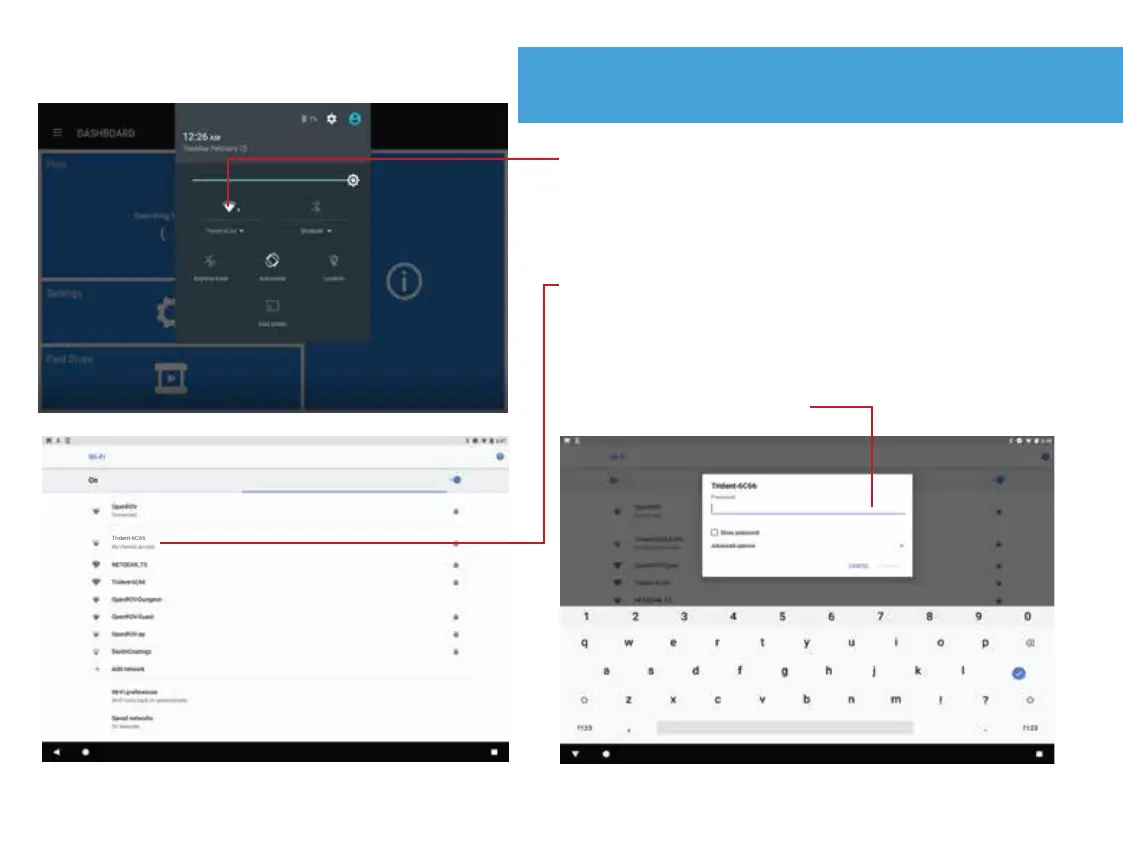
Connect Controller to Trident
10.
1. Access the Android WiFi settings by swiping
down from the top of the screen twice. This
might be slightly different depending on the
device you are using.
2. From the drop down menu, select the topside
SSID ("Trident-XXXX") which can be found on
the back of the topside / tether reel.
3. Enter the password located on the back of the
topside / tether reel.


 To Next Page