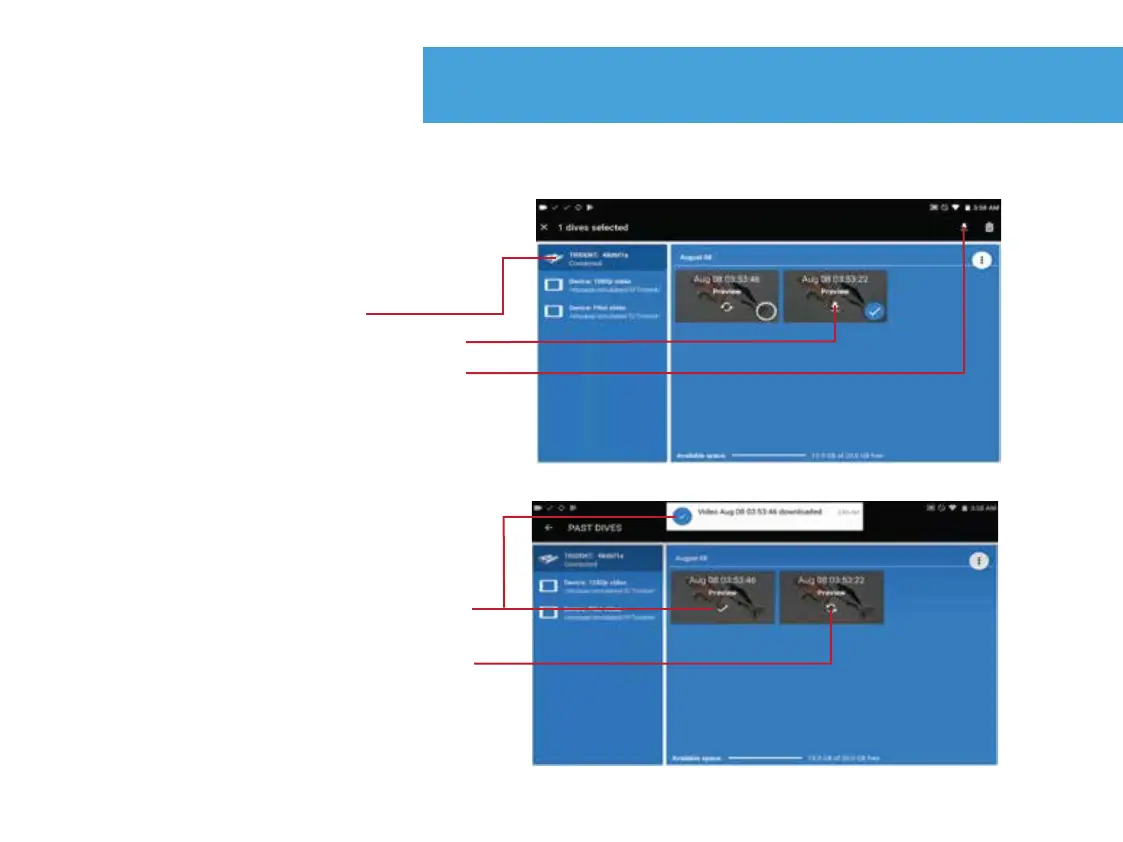
Download 1080p video to device
1. Connect Trident to device.
2. Press “Past Dives” from OpenROV
“Dashboard”.
3. Press the “Trident” icon.
4. Press the download icon on each
desired video. You can long press
to select multiple videos, the
download icon is then in top right
corner.
Download complete
Download in progress
26.


 To Next Page