TT21/TT22 Transponder Installation Manual 22 August 2017
00560-00 Issue AP
______________________
Trig Avionics Limited 29
6. Installation Setup and Test
The TT21/TT22 uses a simple setup system to program important system
parameters, including the Mode S address. In the original factory
configuration, the setup screen is the first thing that runs when you switch on
the transponder. If the transponder has already been configured, and you want
to access the setup screen again, hold down the FN button while switching on
the transponder and the setup system will run.
The script will prompt for the following configuration items:
VFR Flight ID (Registration)
Mode S Address
VFR Squawk Code
Aircraft Maximum Airspeed
Aircraft Category
Squat switch source, if fitted
TIS output format, if used
GPS position source, if fitted, and ADS-B parameters
This setup mode also allows the recalibration of the altitude encoder.
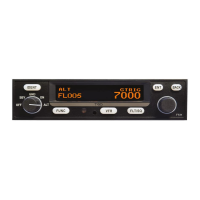
All the programming is accomplished using the right hand rotary knob and the
ENT and FN buttons. Make all input selections using the rotary knob.
Pressing the ENT button accepts the current input and advances to the next
input item. Pressing the FN button moves directly to the next screen.
6.1 Configuration Items
6.1.1 VFR Flight ID
The default Flight ID for an aircraft not on an IFR flight plan should be the
aircraft registration. Enter the aircraft registration using the rotary knob and


 To Next Page