TT21/TT22 Transponder Installation Manual 22 August 2017
00560-00 AP
______________________
36 Trig Avionics Limited
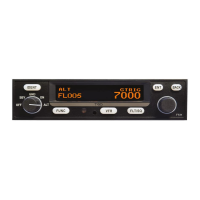
4. Skip over the configuration modes until reaching the encoder
calibration section.
5. Accept the Yes/No question; the LOW ALTITUDE set point
will now be active, and an altitude will be displayed.
6. On the static test set, drive the altitude to 0 feet.
7. Read the primary altimeter value, and turn the right knob on
the TC20 until the altitude displayed on the TC20 matches
the altitude on the primary altimeter.
8. Press ENT on the TC20; the display will move to the MID
ALTITUDE FL100 set point.
9. On the static test set, drive the altitude to 10,000 feet.
10. Read the primary altimeter value, and turn the right knob on
the TC20 until the altitude displayed on the TC20 matches
the altitude on the primary altimeter.
11. Press ENT on the TC20; the display moves to the MID
ALTITUDE FL200 screen.
12. If the service ceiling of the aircraft is below 20,000 feet, the
process is complete. Press the ENT button twice more to get
to the test screen. Otherwise, proceed to step 13.
13. On the static test set, drive the altitude to 20,000 feet.
14. Read the primary altimeter value, and turn the right knob on
the TC20 until the altitude displayed on the TC20 matches
the altitude on the primary altimeter.
15. Press ENT on the TC20; the display moves to the HIGH
ALTITUDE FL300 screen.
16. If the service ceiling of the aircraft is below 30,000 feet, the
process is complete. Press the ENT button once more to get
to the test screen. Otherwise, proceed to step 17.
17. On the static test set, drive the altitude to 30,000 feet.


 To Next Page