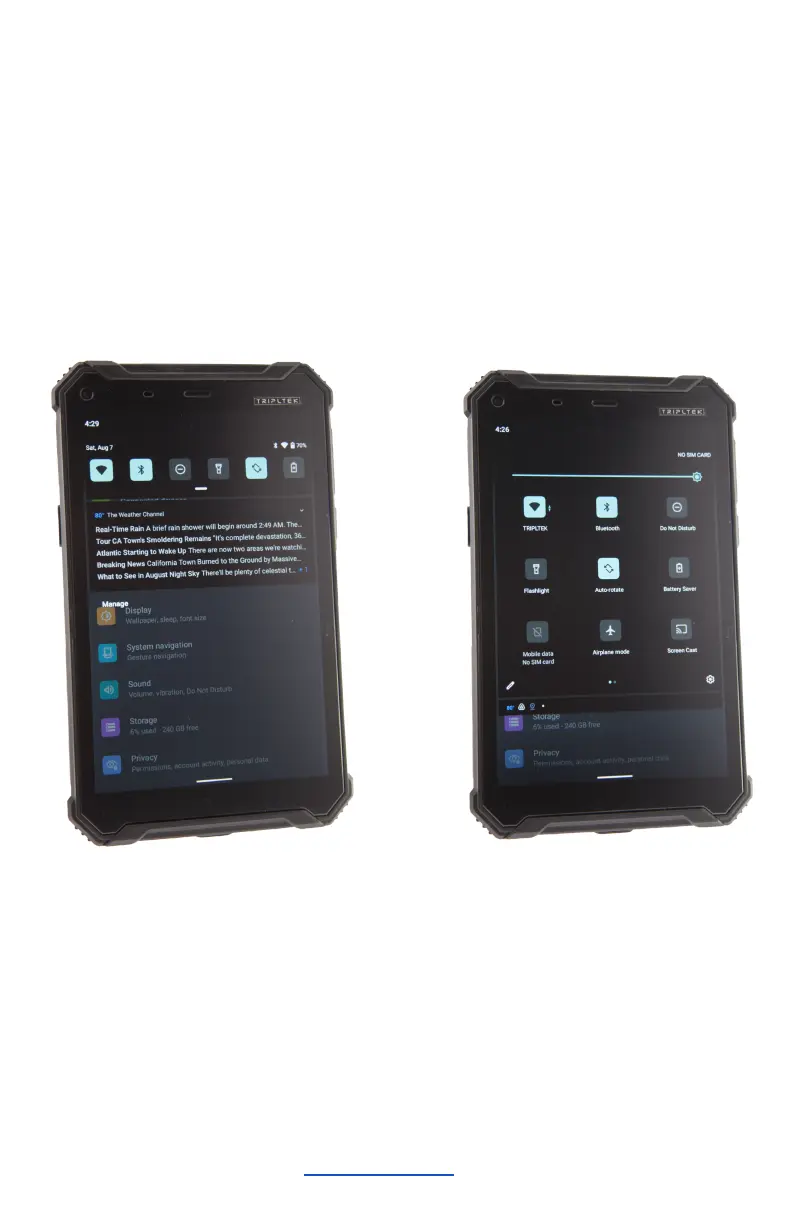
Notification panel
Pull down from the top of the screen to open the top of the
notification bar to show the 6 commonly used settings
shortcut (left picture), turn on/off clicking on the icon, and long
press to enter the corresponding icon settings. Pull down on
the notification bar to display all icons (right picture), the
pencil on the lower left corner of the page will display the
"Edit" button, click to add / delete custom shortcuts.
Tap the icon to activate or deactivate the function.


 To Next Page