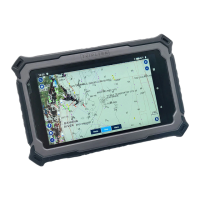
TRIPLTEK 8” User Guide Content
User Manual 6
Read me first 6
Assembling 7
Unpack 7
Charge the battery 7
Installing a SD card 7
Installing a SIM card for cellular service 8
Turn on your device, reboot, and shut down 8
Getting started 9
Home screen 9
Task bar 9
Indicator icons 9
Notification panel 11
Auto rotation 12
Lock & unlock the screen 12
Customizing your device 13
Network & Internet 14
Wi-Fi 14
Activate the Wi-Fi feature 14
Find and connect to Wi-Fi 14
Connected Devices 14
Bluetooth 15
Activate the Bluetooth feature 15
Connect to other Bluetooth devices 15
Apps & Notifications 15
Battery 15
Display 15
Screen time-out 16
System Navigation 16
Sound 16
Storage 16
Privacy 16
Location 16


 To Next Page