Installing a SIM card for cellular service
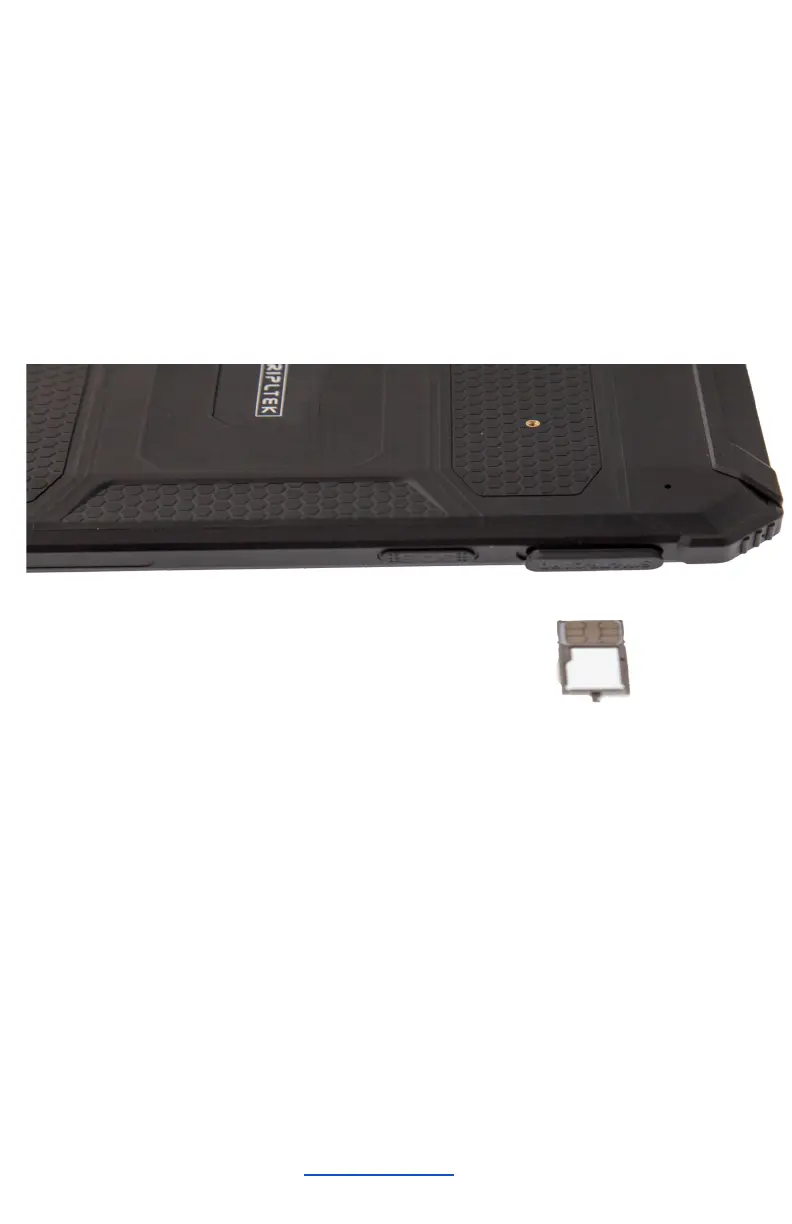
To use the Phone function, install a micro SIM card from
your preferred carrier, follow the instructions below.
1. Press with the pin into the slot to extract the SIM
card/SD card Tray.
2. Place the SIM card into the lower part of the Tray
facing the back of the TRIPLTEK(see picture).
3. Place the Tray into the tablet all the way in.
Turn on your device, reboot, and shut down
To turn on your device, press and hold the power key. To
reboot your device, press and hold the power key, select
“reboot”. To turn off your device, press and hold the
power key, select “power off”.


 To Next Page