Taking a picture
1. Open the application list and select Camera.
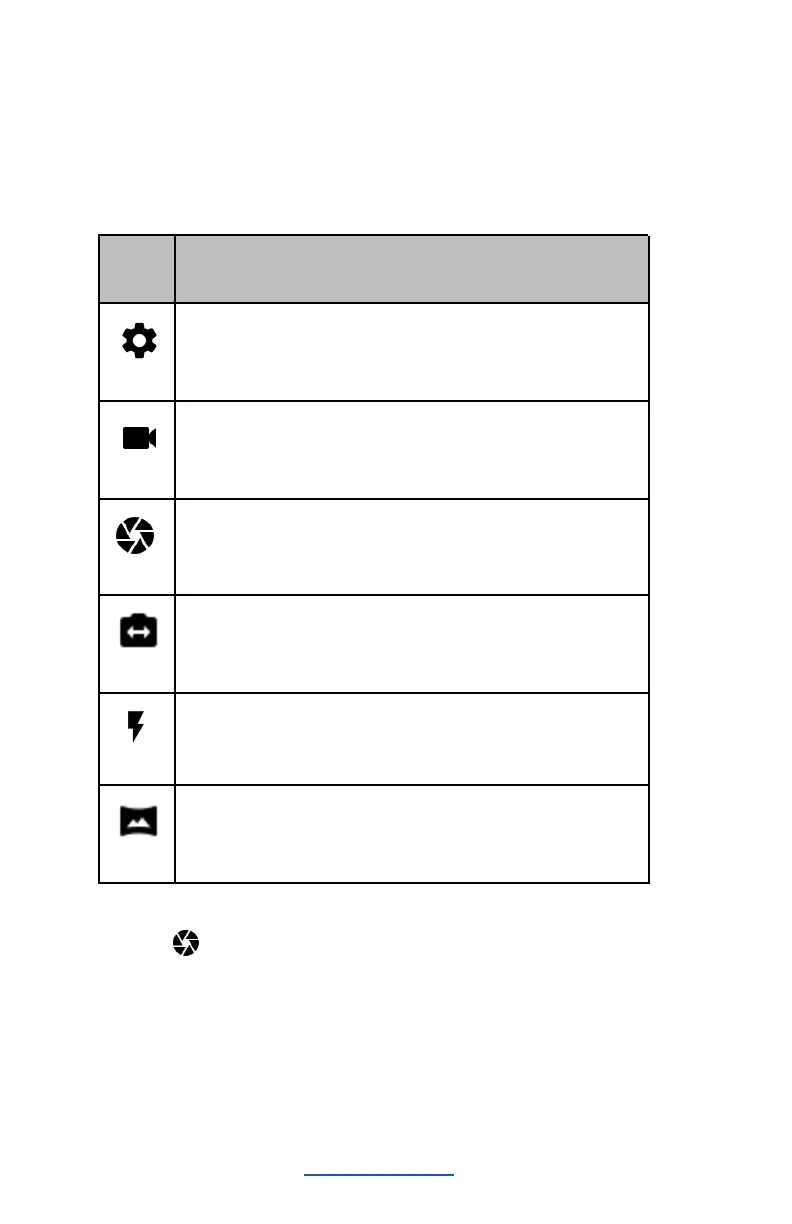
2. Before taking a picture, you need to know some settings.
Place two fingers on the screen and spread them apart or
move fingers closer together to zoom in or zoom out.
Tap to switch between the front and rear camera lenses
Change to panorama mode to take a landscape photo.
1. Tap to take a photo. The photo will be saved
automatically in the folder DCIM.
2. Select the image viewer icon at the lower right to see the
pictures.


 To Next Page