Survey Pro Reference Manual
R-160
Inverse Point to Point
,QYHUVH
3RLQW WR 3RLQW
or
,
Inverse Points
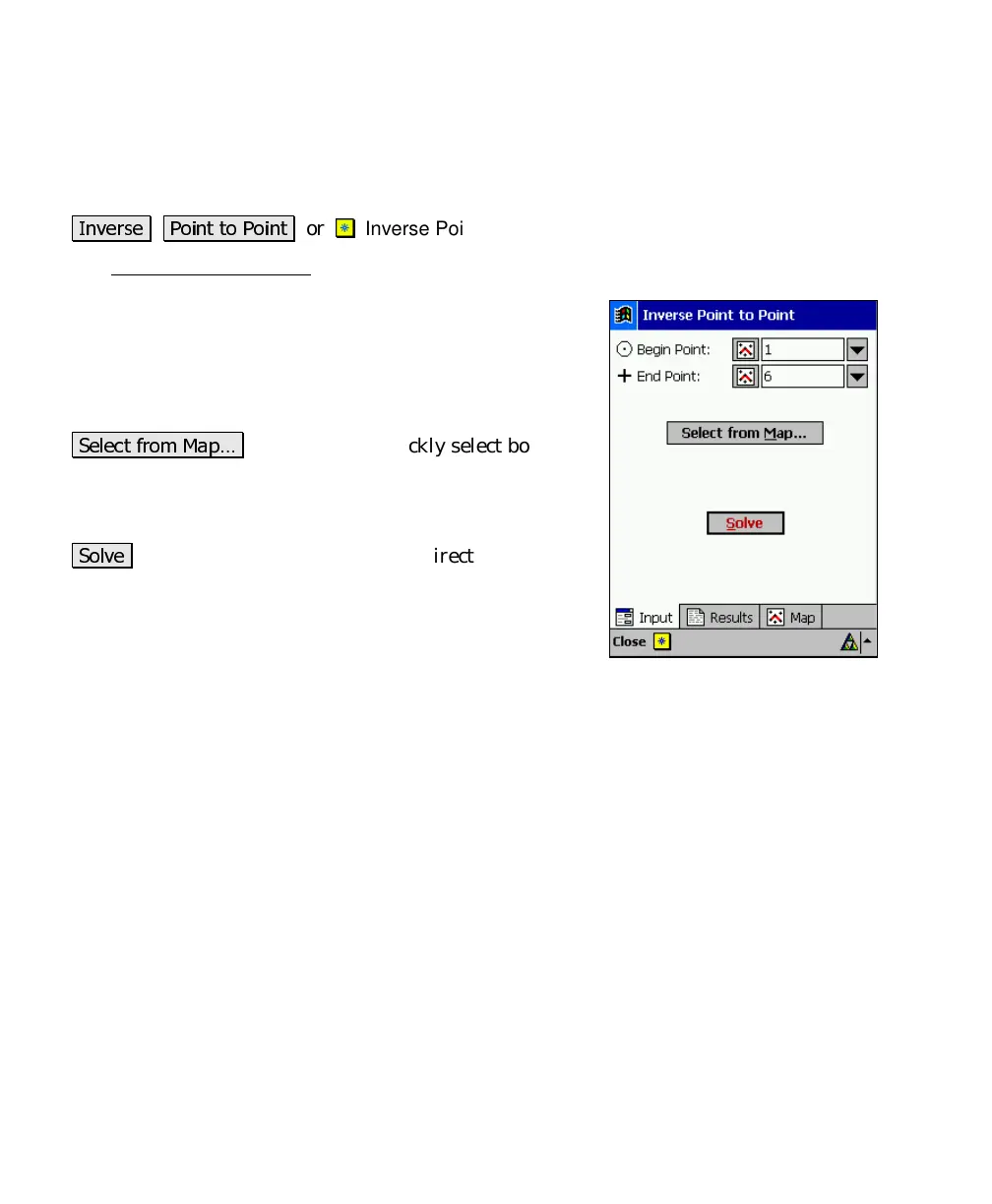
The Inverse Point to Point screen will calculate the distance and
direction between two existing points.
Begin Point
: is the reference point used to compute the
distance and direction to the
End Point
.
End Point
: is the point whose relationship to the
Begin
Point
is computed.
6HOHFW IURP 0DS«
: allows you to quickly select both the
Begin Point
and
End Point
from a map view. The first
point tapped is entered as the
Begin Point
and the second
as the
End Point
.
6ROYH
: will compute the distance and direction from the
Begin Point
to the
End Point
.
Results
Azimuth
: is the azimuth from the
Begin Point
to the
End Point
.
Horz Dist
: is the horizontal distance from the
Begin Point
to the
End
Point
.
Vert Dist
: is the vertical distance from the
Begin Point
to the
End
Point
.
Slope Dist
: is the slope distance from the
Begin Point
to the
End Point
.
North
: is the change in the Y-coordinate from the
Begin Point
to the
End Point
.
East
: is the change in the X-coordinate from the
Begin Point
to the
End Point
.
Elevation
: is the change in elevation from the
Begin
Point
to the
End
Point
.
Grade
: is the slope from the
Begin Point
to the
End Point
.



 To Next Page