Survey Menu
R-91
Vertical Angle Offset
* & ++
or
,
Offset Shot – V Angle
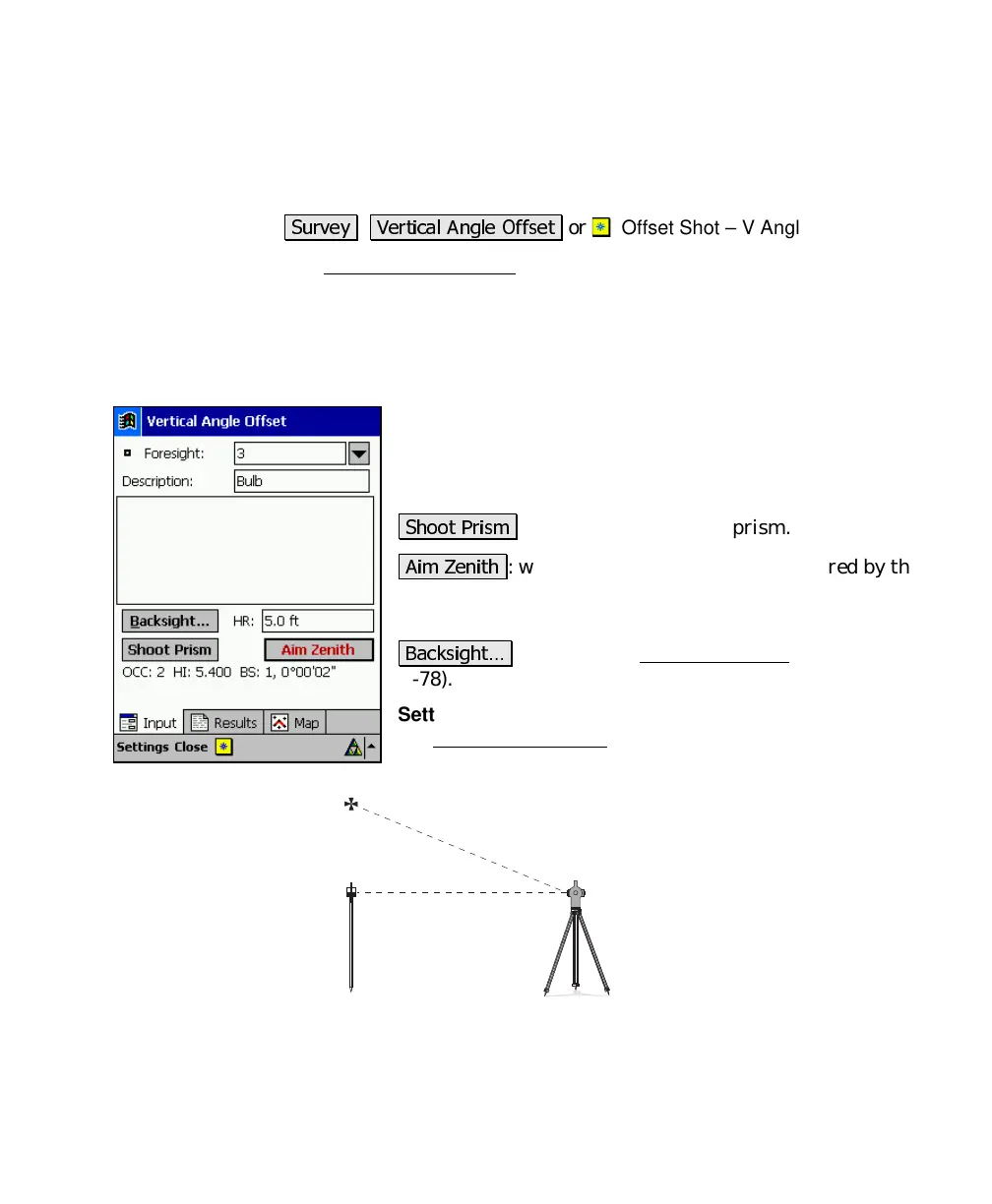
The Vertical Angle Offset screen allows you to compute and store the
location of a new point that exists directly above or below the rod
location, but cannot be occupied, such as the top of a utility pole.
The new point will have the same coordinates as the rod location, but
with a different elevation.
Foresight
: is the point name that will be used when
storing the new point.
Description
: is the description for the offset shot that is
stored.
"
: will take a shot to the prism.
" 9
: will read the vertical angle measured by the
total station, which should be facing the new point’s
location.
&
: accesses the Backsight Setup
screen (Page
R-78).
Settings
: located at the top of the screen, is a shortcut to
the Surveying Settings
screen (Page R-34).



 To Next Page