Survey Menu
R-89
Distance Offset
) ++
or
,
Offset Shot – Distance
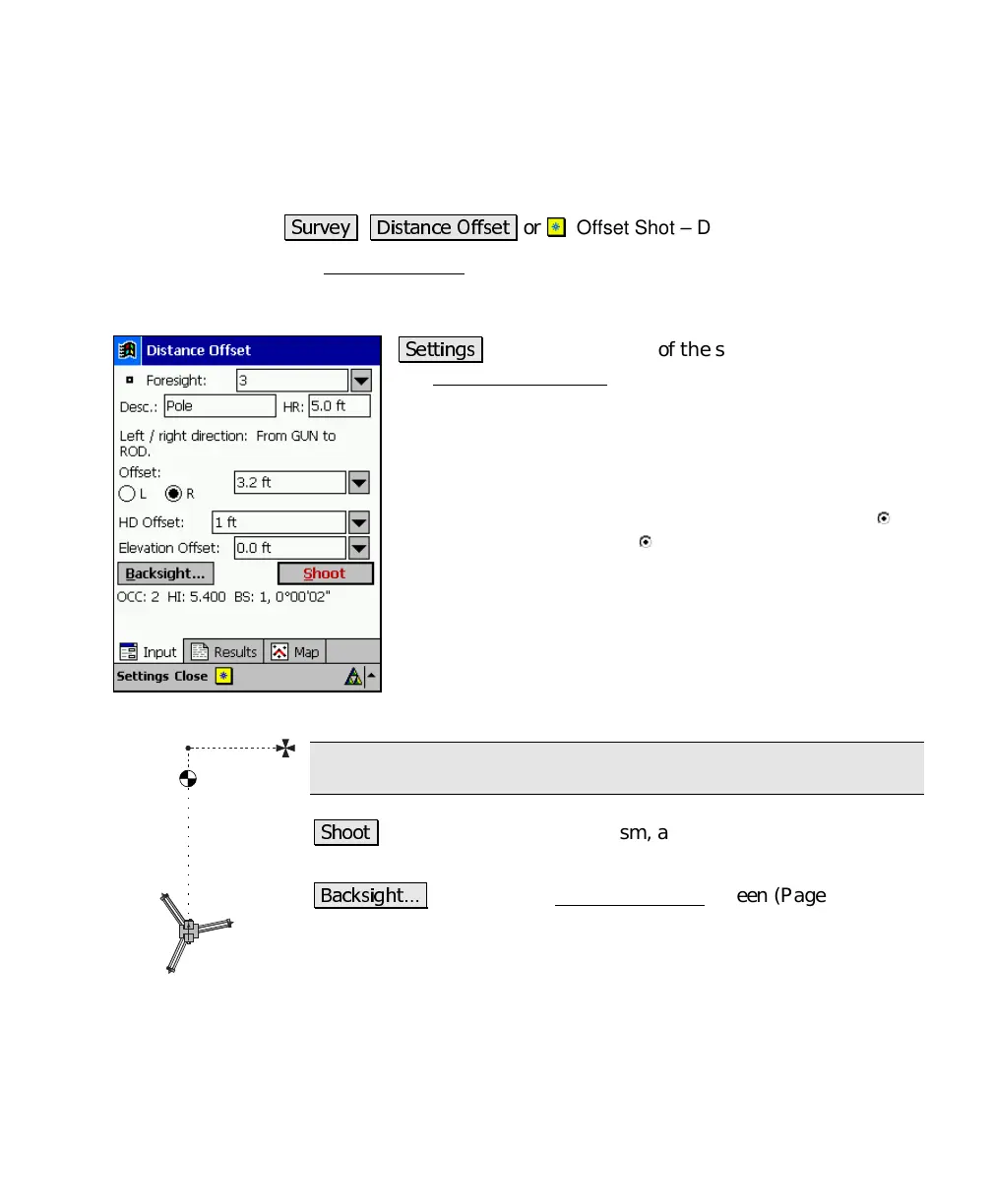
The Distance Offset screen is used to store a new point that is a
known distance away from the rod location. This screen is useful
when the rod cannot occupy the new point’s location.
&
: located at the top of the screen, is a shortcut to
the Surveying Settings screens (Page R-34).
Foresight
: is the point name that will be stored.
Desc.
: is the description for the offset shot that is stored.
HR
: is the length of the rod.
Offset
: is the offset distance that is to the left (when
L
is selected) or right (when
R
is selected) of the prism
from the total station’s point of view.
Horz Dist Offset
: is the offset distance that is beyond the
prism (positive value) or in front of the prism (negative
value) from the total station’s point of view.
Elevation Offset
: is the offset distance that is below the
prism (negative value) or above the prism (positive value).
Note: multiple offsets can be applied simultaneously.
: will take a shot to the prism, apply the offset(s) entered,
and then store the new point.
&
: accesses the Backsight Setup
screen (Page R-78)
where the current backsight can be modified.
1_ft back
3_ft right



 To Next Page