Survey Pro Reference Manual
R-58
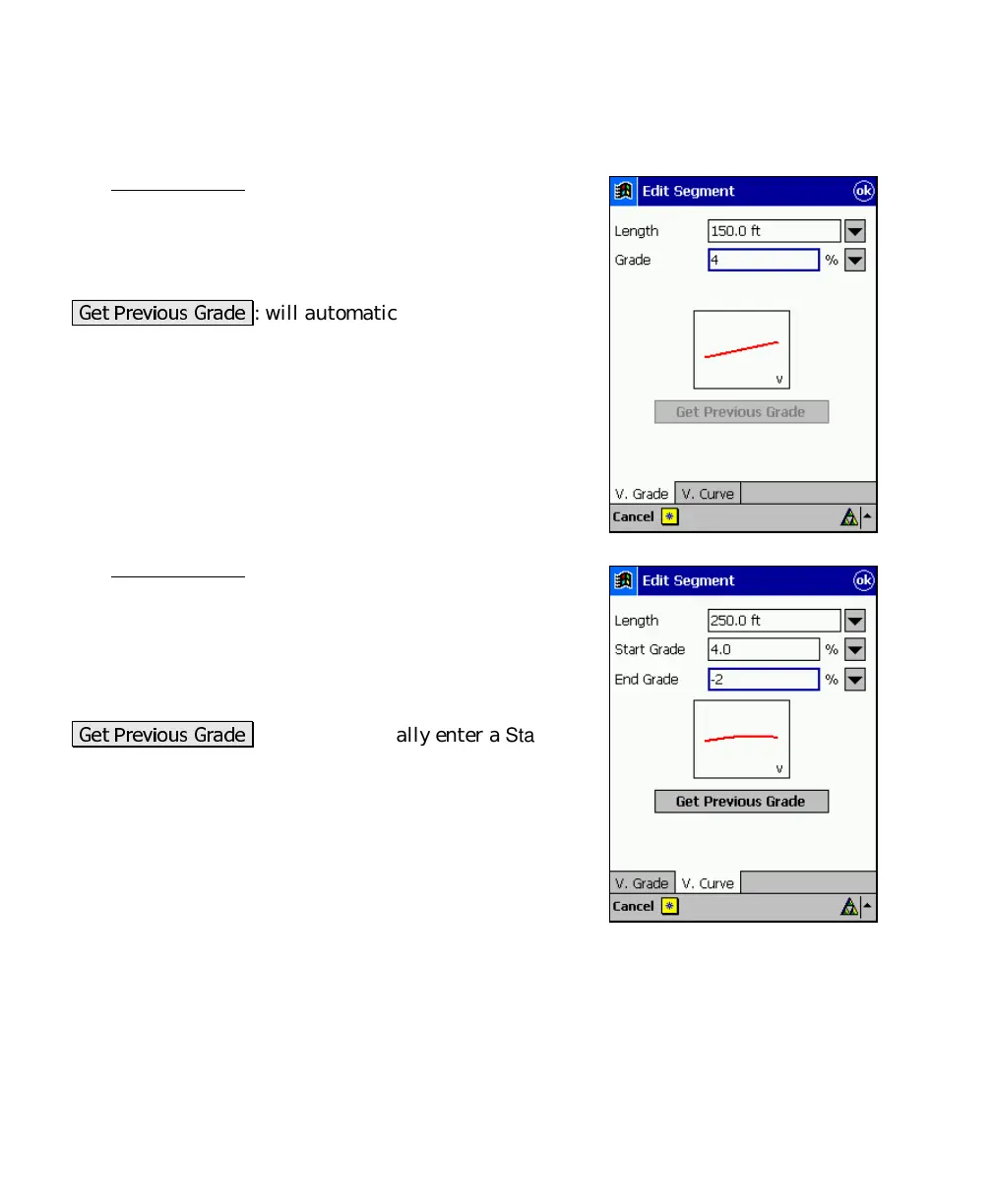
Edit Segment – Vertical Grade Card
The Vertical Grade card is used to enter a segment with
any grade.
Length
: is the horizontal length of the segment.
Grade
: is the grade (slope) of the segment.
/ /#
: will automatically enter a grade
equal to the grade at the end of the previous segment.
Edit Segment – Vertical Curve
The Vertical Curve card is used to enter a parabolic
vertical curve to the alignment.
Length
: is the horizontal length of the vertical curve.
Start Grade
: is the starting grade of the vertical curve.
End Grade
: is the ending grade of the vertical curve.
/ /#
: will automatically enter a
Start
Grade
equal to the grade at the end of the previous
segment.



 To Next Page