Survey Pro Reference Manual
R-70
3D View Settings
.
* )(,
5) *
&
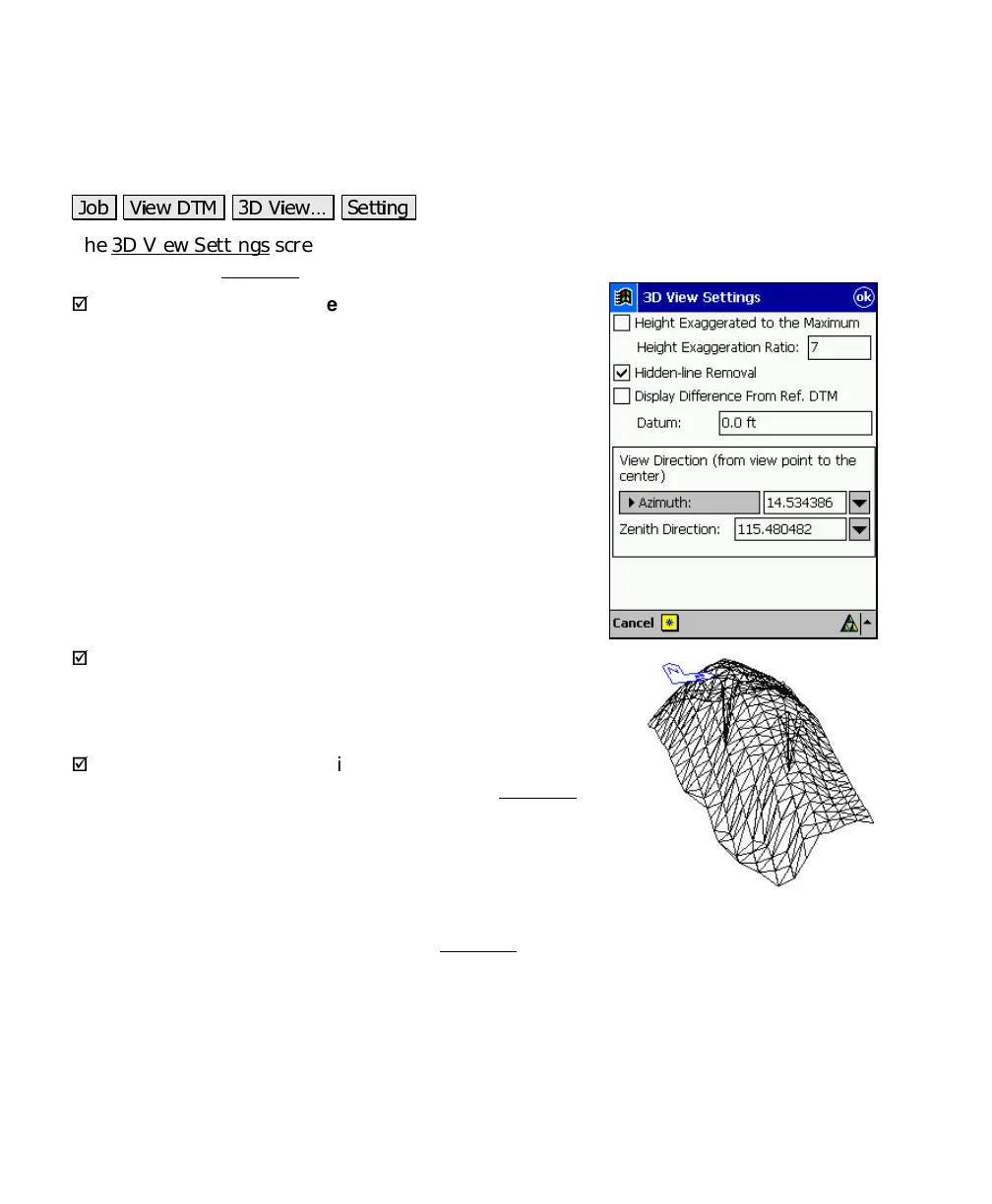
The 3D View Settings screen is used to configure the information
displayed in the 3D View
screen.
;
Height Exaggerated to the Maximum
: When checked,
the height exaggeration is automatically set to a high
value. When unchecked, the height exaggeration can be
set manually in the next field.
Height Exaggeration Ratio
: is the value that the height
is multiplied by in the 3D view. The higher this value,
the more exaggeration, where 1.0 would result in no
exaggeration.
;
Hidden-line Removal
: When checked, will hide all the
lines that occur behind other surfaces in the 3D View. The
image shown here is identical to the image shown on Page R-
69 except the hidden lines are not removed.
;
Display the Difference
: This applies only to DTM
stakeout. When checked, the elevations in the 3D View
screen will be distorted so the reference DTM will become a
flat surface. This will result in any staked point that occurs
above or below the reference DTM to stand out as hills and
valleys.
Datum
: When the
Display the Difference
checkbox is unchecked, cut
and fill volumes will be computed in the 3D View
screen based on the
difference of a horizontal plane at the elevation specified here and the
staked points.
View Direction (from view point to the center)
: allows you to specify
the exact horizontal and vertical angle in which to view the DTM.



 To Next Page