If no code is entered within 10 seconds, or if the Master Code is
entered incorrectly, then the red LED will flash 3 times, and the
keypad will exit programming mode.
4.
Enter the 2-digit User ID that you want to program.
If the User ID is entered correctly, the yellow LED will blink 5
times, and then both the yellow and green LED will light up.
Proceed to step 4.
If a User ID is not entered within 10 seconds, the red LED will
blink 3 times, and the keypad will exit programming.
Enter the new 5-digit Access Code.
If a valid code is entered, the green, red, and yellow LEDs will
strobe.
If an invalid code is entered, the red LED will flash 3 times, and
the keypad will exit programming mode.
Repeat Steps to program or change up to twenty-five Access Codes.
P
5
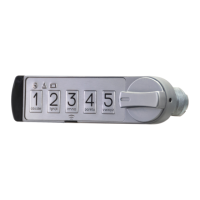
MicroIQ Electronic Lock Programming Guide
Programming Your Access Codes
You may program up to 25 unique Access Codes. Each of these
codes is used to unlock the unit.
To program a 5-digit Access Code:
1.
2.
With the lock in either the locked or unlocked position, press and
hold the Program Button (located below the #3 button) for 5
seconds.
The keypad will enter programming mode, and the green LED
will light up.
3.
Enter the 5-digit Master Code.
If the Master Code is entered correctly, the green LED will light
up. Proceed to step 3.
Programming Instructions


 To Next Page