21
General Information
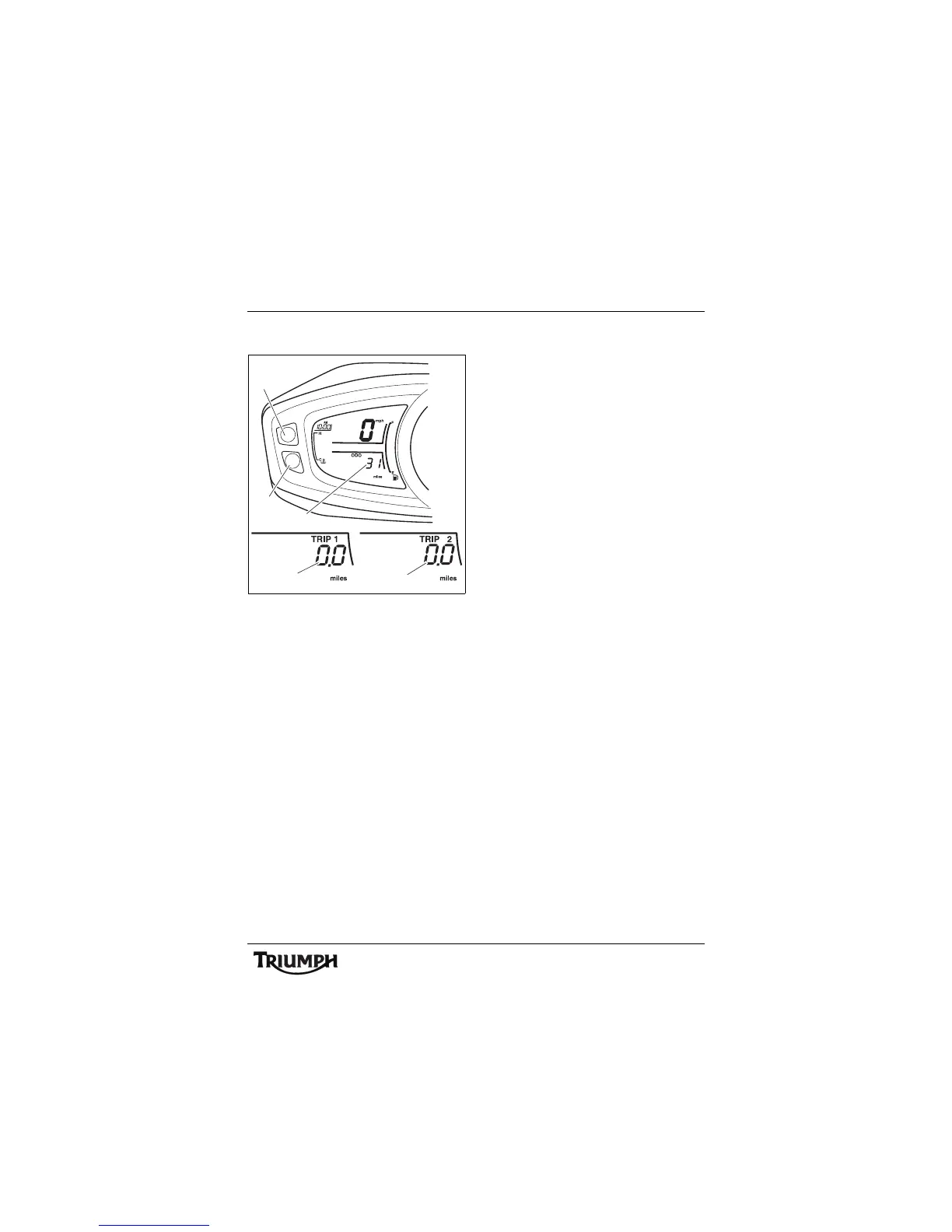
Odometer/Trip Meter
1. B u t t o n A
2. Button B
3. Odometer/Trip meter display
4. Trip meter 1 display
5. Trip meter 2 display
Trip Meter
Either trip meter shows the distance that the
motorcycle has travelled, journey time,
average fuel consumption, instantaneous fuel
consumption, range and average speed, all
since the trip meter on display was last reset
to zero.
To access the trip meter information, turn the
ignition to the ON position. Press and release
button 'A' until the desired trip meter is
visible in the display screen.
Press and release button 'B' until the desired
display is visible. The display will scroll
through in the following order:
• Journey distance
•Range to empty
• Journey time
• Average fuel consumption
• Instantaneous fuel consumption
•Average speed
Each display provides the following
information all calculated since the trip meter
was last reset to zero:
Journey Distance
The total distance travelled.
Range to Empty
This is an indication of the probable distance
that can be travelled on the remaining fuel in
the tank.
Journey Time
The total time elapsed.
Average Fuel Consumption
An indication of the average fuel
consumption. After being reset the display
will show dashes until 0.1 miles/km has been
covered.
Instantaneous Fuel Consumption
An indication of the fuel consumption at an
instant in time.
Average Speed
The average speed is calculated from when
the trip computer was last reset. After being
reset the display will show dashes until
1 mile/km has been covered.
2
1
3
5
cfin_1
4






 To Next Page