INSTALLATION OVERVIEWWARRANTY MAINTENANCE
OPERATION
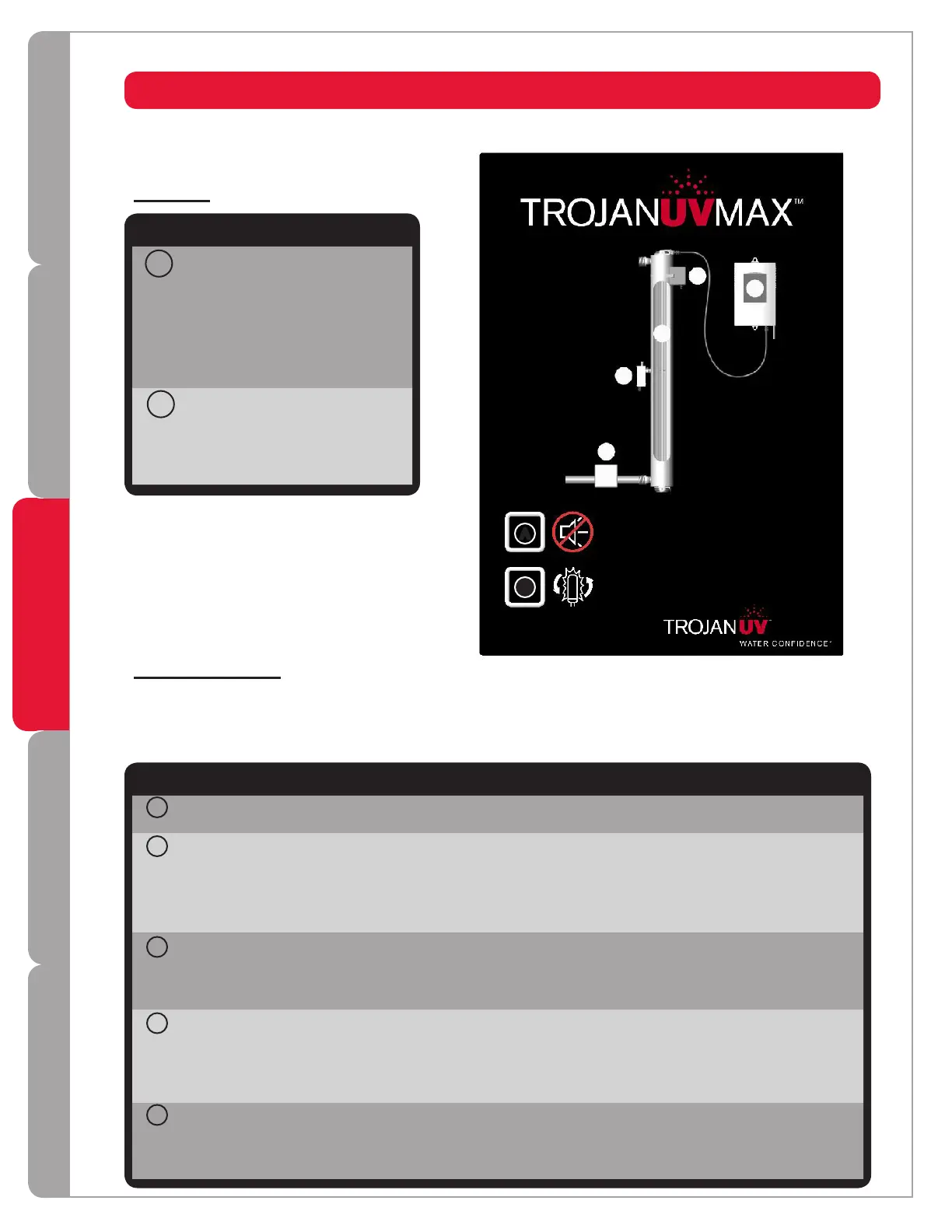
Indicator lights
Operatingnormally Notapplicable Powersupplyfailure;replacepower
supply
Powersupplyinactiveduetolamp
failure
Operatingnormally Notapplicable Fandisconnected;reconnect
Fanturningslowerthanrequired;
unplugsystem,cleanbladesusing
aQ-tip
Fandamaged;replacefan
Notapplicable
Operatingnormally Warning;lamp
willrequire
replacementshortly
Lampdisconnected;unplugsystem,
reconnectlampandplug-insystem
again
Lampfailure;replacelamp
Lampinactiveduetopowersupply
failure
UVdoseisadequate
andsensorisoperating
normally
(Pro&Plusmodelsonly)
UVdoseisnearthe
minimumrequired
Sensordisconnected;unplugsystem,
reconnectsensorandplug-insystem
again
UVdoseisbelowminimumrequired,
seeLow UV Alarm section
Sensorinactiveduetolampor
powersupplyfailure
Solenoidvalveopen
(Ifequippedwith
solenoid)
Notapplicable Solenoidvalvedisconnected;
reconnect
Solenoidcoildamaged;replacecoil
(notentiresolenoid)
Solenoidvalveinactive(closed)
duetofailureofanother
component,inordertoensure
safetyofthewatersupply
Yellow Flashing red Solid redGreen
4
1
3
2
5
Indicator lights only indicate a problem with the component when flashing red.
CONTROL PANEL
4
1
3
5
2
Buttons
Mute Pressthisbuttoninorder
toturnofftheaudible
alarm.Whenthealarmis
duetothelamp'sage,the
mutebuttonwilldeactivate
theaudiblealarmfor7
days;thismayberepeated
uptoamaximumof4
times.
NewLamp Afterinstallinganew
lamp,pressandholdthis
buttonuntilyouheara
beep(aboutfiveseconds).
Thiswillresettheinternal
clock.
Meaning
A
B
Button
A
B
The table below is a list of possible causes and solutions. Before replacing parts, please contact Trojan Technical
Assistance for any new troubleshooting techniques. 1-800-265-5774
14



 To Next Page