16
OPERATION INSTRUCTIONS
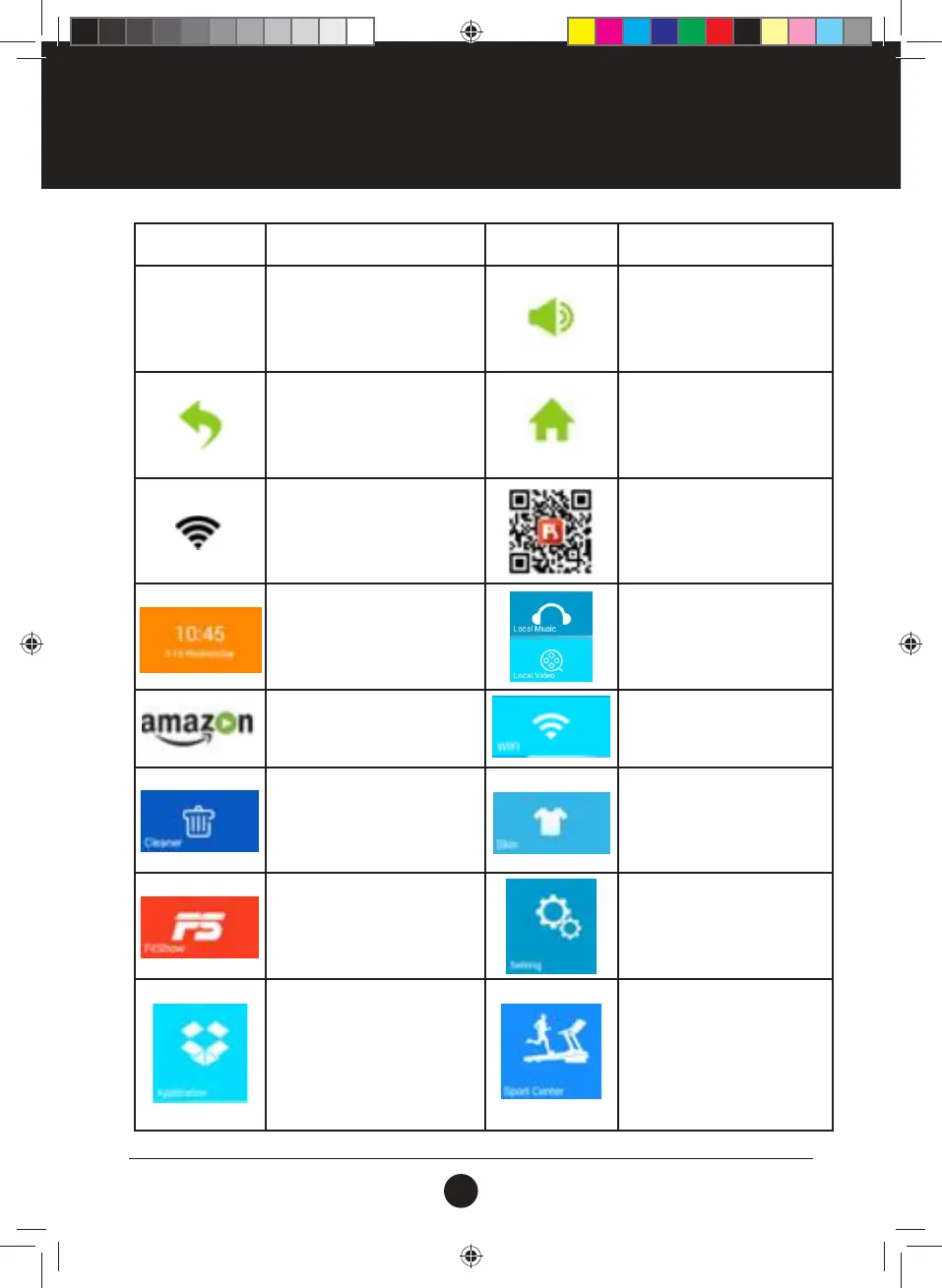
ICON FUNCTION DESCRIPTION ICON FUNCTION DESCRIPTION
13:04
TIME display
VOLUME: to adjust the volume
for Music and Video play
interface.
RETURN: tap to back Previous
Interface. (Except Main
Interface)
HOME: tap to back Main
Interface.
To check WIFI connection.
The FITSHOW user login QR
code: via FitShow Smart App
to the QR code, then Express
Login your own account
Displays the current date and
time.
Local Media:
Manage media les in memory
and on USB.
Internet:
Enter online Video APP
WIFI:
Access WIFI connection.
Cleaner:
Tap to clean the system Cache
and Memory.
Skin:
Choose the preferred built-in
skin as your background.
FITSHOW APP
FitShow Smart App for Express
Login your own account
Setting:
Built-in Bright Adjust, Language,
Treadmill Manage, Factory
Mode.
Application:
Built-in Music App, Video App;
Internet, Social & News.
Sport Center:
Time Countdown, Calorie
Countdown, Distance
Countdown, Step Countdown,
Work Out, Heart Pulse Control,
Runway Mode, Real View Run &
Custom Mode.
#20M03T020 ELITE 2000 Treadmill UM.indd 16 2020/04/07 10:05 AM










 To Next Page