23
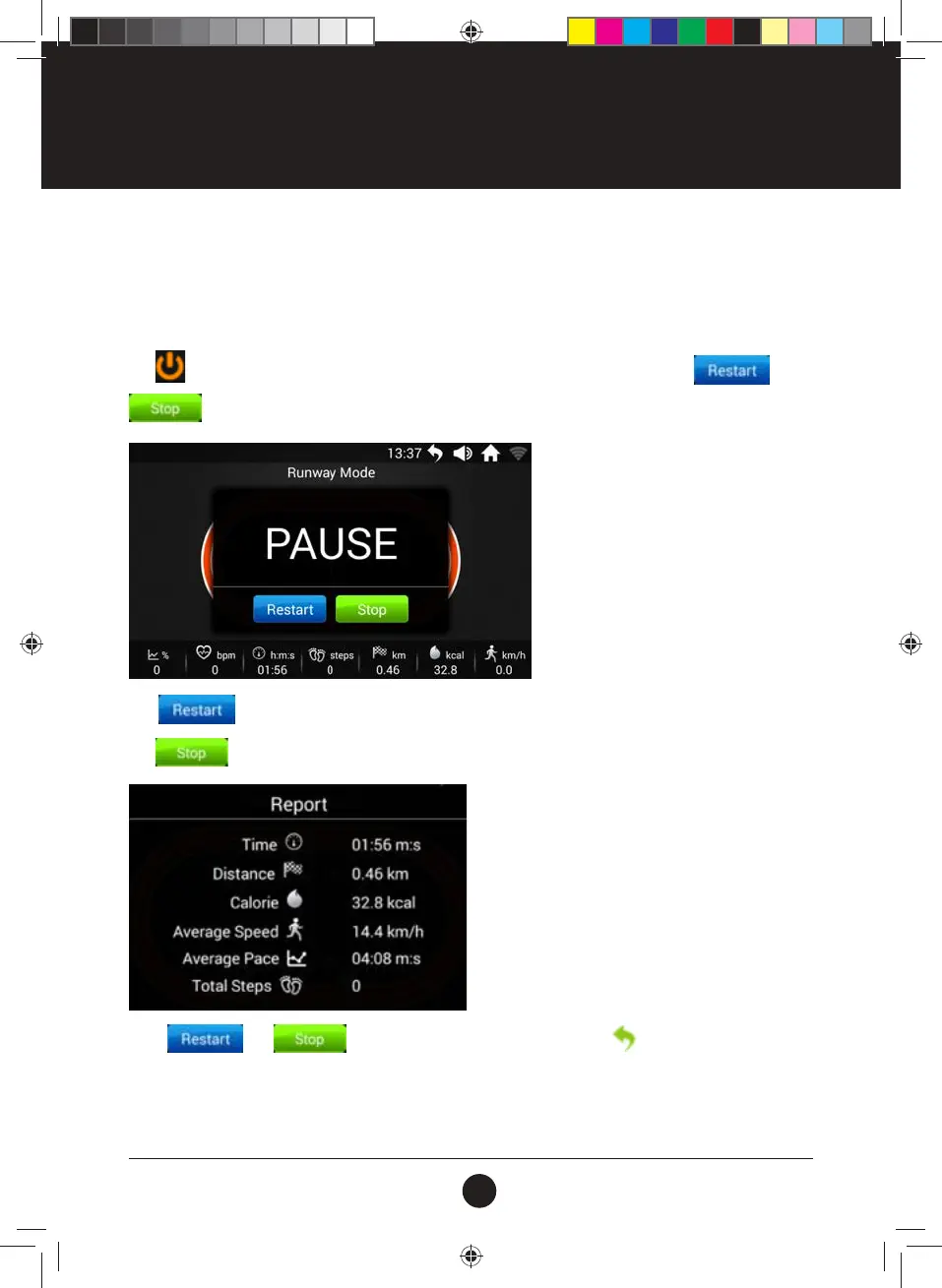
Tap icon the treadmill will smoothly lower down the speed and PAUSE, then pop-up and
dialog:
While
and dialog, without further operation tap the icon at upper right corner
to Return to the Main Interface for other operations than controlling the Treadmill. Once nished the other
operations, tap the “Sport Center” on the Main Interface will switch back to the Runway Mode interface;
Tap
and the treadmill will restart at the lowest speed;
Tap
and the below exercise report will pop up.
Start the Runway Mode:
• Slide up or down to adjust the parameters. Press “START” button, Treadmill will enter “3-2-1-GO”
countdown then start the motor;
• Speed and incline can be adjusted during the running on the panel or by the oating window.
OPERATION INSTRUCTIONS
#20M03T020 ELITE 2000 Treadmill UM.indd 23 2020/04/07 10:05 AM










 To Next Page