26
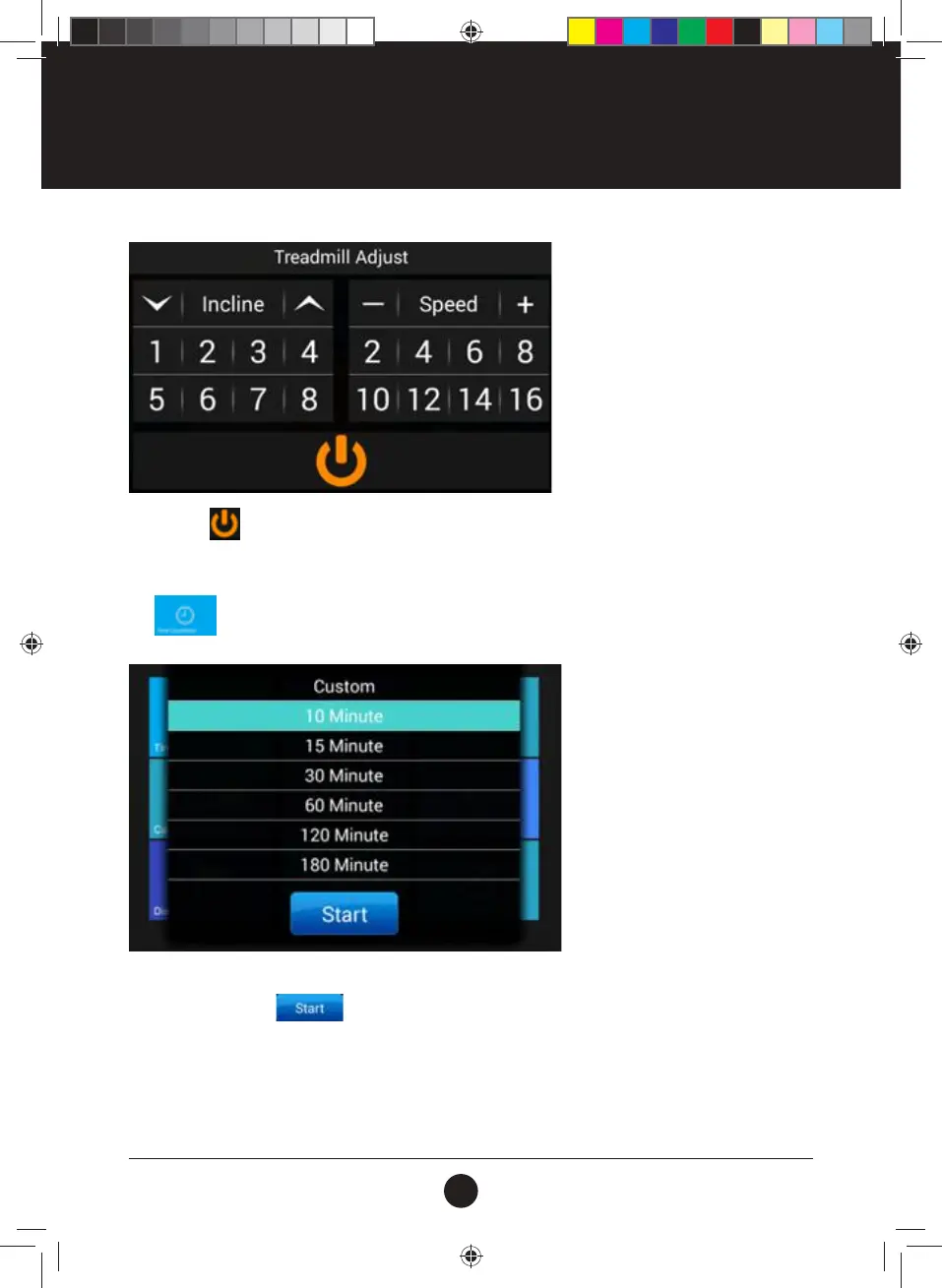
Tapping the icon will Pop-up “Restart” and “Stop” options: No operation for 3 seconds, the Floating
Window will automatically close.
Tap
to enter Time Countdown Interface:
Select a Preset Time duration, or tap “Custom” to enter the Customized Time Setting window to set the
exercise duration. Tap
to Start the Treadmill after Setting.
OPERATION INSTRUCTIONS
#20M03T020 ELITE 2000 Treadmill UM.indd 26 2020/04/07 10:05 AM










 To Next Page