25
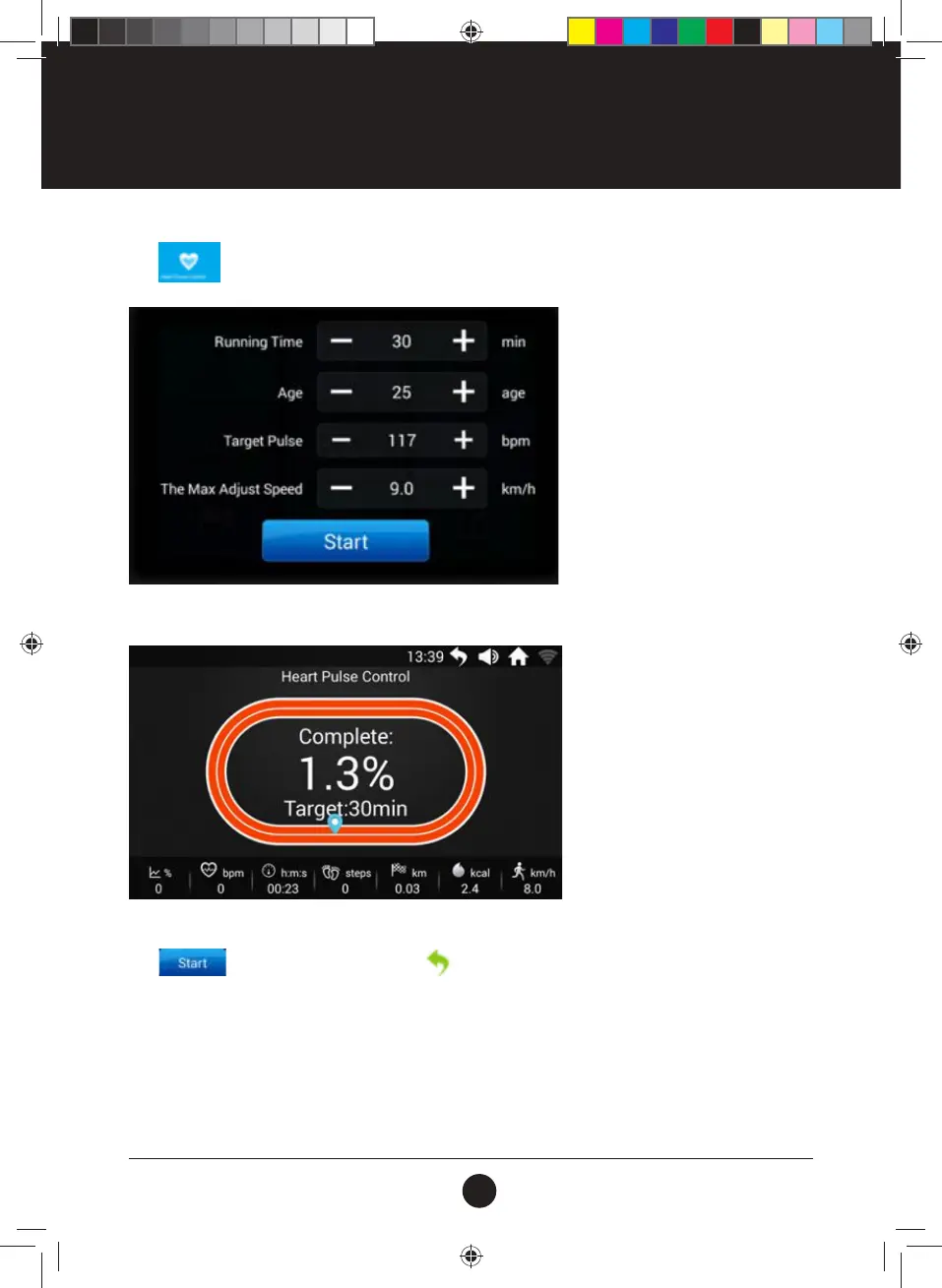
Tap to enter Custom Mode Interface:
Set the parameters accordingly, then tap “Start” icon to start running;
Treadmill Parameter Adjustment:
Tap
to Start running, then tap the icon at the upper right corner to return to the Main
Interface for other operations than controlling the Treadmill. After nishing other operations, tap “Sport
Center” on the Main Interface to go Back to the Heart Pulse Control Mode interface; Touching the Screen will
Pop-up the operating Floating Window that controls the treadmill;
OPERATION INSTRUCTIONS
#20M03T020 ELITE 2000 Treadmill UM.indd 25 2020/04/07 10:05 AM










 To Next Page