CONSOLE FUNCTIONS
18
TIME
TIME DISTANCE CALORIE SPM
SET
STROKESPULSE
TIME
TIME /500M DISTANCE CALORIE SPM
TOTAL
STROKES
PULSE
DESCRIPTION OF BUTTON OPERATION
DESCRIPTION OF BUTTON OPERATION
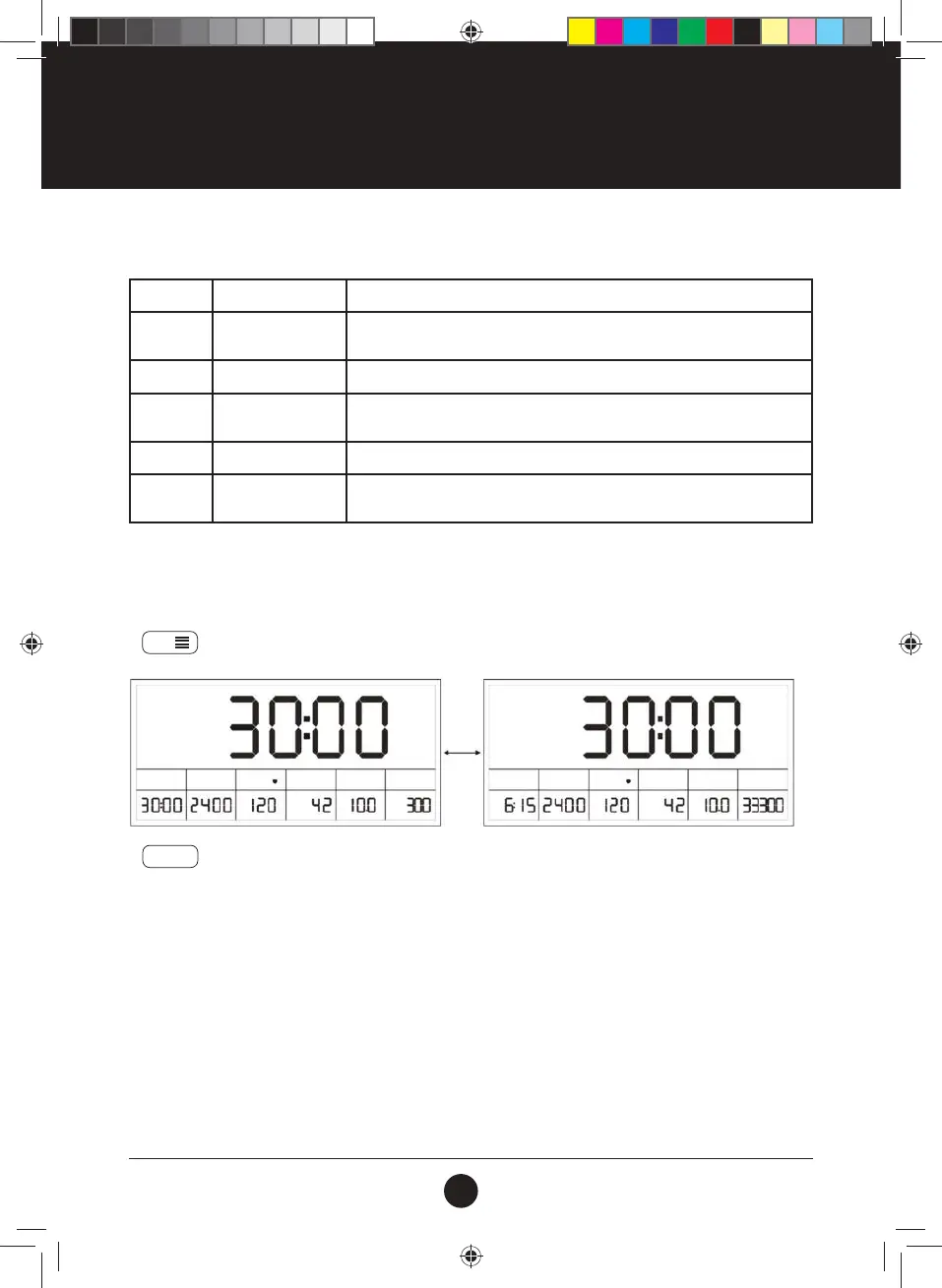
During exercise:
1. The icon ashes, indicating that it is in the mode of scanning display.
2.
SET
button: Switch the display of TIME & TIME/500m, STROKES & TOTAL STROKES.
3.
MODE
button: The main window exits the scanning mode and then displays a certain function item xedly.
MODE:
During exercise Select and x a certain function display.
During non-exercise: Switch between the function items to be set, and press and hold for 3
seconds to clear all values to 0 (except for total number of strokes).
SET:
During exercise Switch the display of TIME & TIME/500m, STROKES & TOTAL STROKES.
During non-exercise: Enter the setting mode, and adjust the parameter value of the function item
to be set.
RESET:
During exercise Clear the parameter value of the selected function item to 0.
During non-exercise: Press and hold for 3 seconds to clear all values to 0 (except for total
number of strokes).
#20M01T011 ENDURANCE ROWER UM.indd 18#20M01T011 ENDURANCE ROWER UM.indd 18 2020/07/01 16:042020/07/01 16:04


 To Next Page