6 EN
energy consumption measuring device BX50 MID / BX50 MID F / BX50 MID C
Operation
Switching the device on
1. Plug the device into a properly fused socket.
2.
Connect the terminal device to the plug adapter(3).
ð The device is switched on.
Changing the display mode
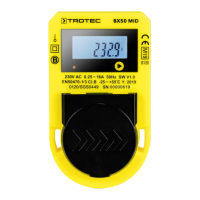
The following values can be indicated on the display(5) one
after the other:
• Total counter reading Energy flow (production and
consumption) (kWh, non-resettable)
• Counter reading Energy flow (production and consumption)
(kWh, resettable)
• Total counter reading Production (kWh, non-resettable)
• Counter reading Production (kWh, resettable)
• Total counter reading Consumption (kWh, non-resettable)
• Counter reading Consumption (kWh, resettable)
• Current mains voltage(V)
• Current amperage(A)
• Current power consumption of the connected device(W)
• Power factor
• Current mains frequency(Hz)
• Highest previously measured power consumption in watts
(resettable)
1. Press the menu button(1) until the desired display mode is
set.
Switching on the display illumination
1. Press the menu button(1) for approx. 3seconds in any
display mode.
ð The display illumination will be switched on.
It automatically switches off after approx.20s.
Internal memory
The device is equipped with an internal memory that stores the
total energy consumption and the total energy production as
well as the resulting total energy flow even when the device is
not connected to the mains. These counters cannot be
manipulated and can therefore neither be deleted nor changed.
Resetting the counters
The device comes with a resettable counter for energy
production, energy consumption and the cumulated energy
flow. The resettable counters can be set to zero as follows:
ü The display illumination is switched on.
ü The desired, resettable counter reading is displayed. If the
counter reading can be reset, the display shows (11).
1. Press the menu button(1) for approx. 3seconds.
ð The measured value display(9) is set to zero.
ð The counting starts again.
Resetting the highest previously measured power
consumption
ü The display illumination is switched on.
ü The highest previously measured power consumption is
displayed (Maxindication(12)).
1. Press the menu button(1) for approx. 3seconds.
ð The measured value display(9) is set to zero.
ð The highest previously measured power consumption
will be recounted.
Taking the device out of operation
1. Disconnect the terminal device from the plug adapter(3).
2. Completely disconnect the device from the mains.
3. Store the device according to the Storage chapter.
Maintenance and repair
Cleaning
Clean the device with a soft, damp and lint-free cloth. Make
sure that no moisture enters the housing. Do not use any
sprays, solvents, alcohol-based cleaning agents or abrasive
cleaners, but only clean water to moisten the cloth.
Repair
Do not modify the device or install any spare parts. For repairs
or device testing, contact the manufacturer.
Errors and faults
Fault Remedy
The device display
indicates unusual
characters or values.
Disconnect the device from the mains
and reconnect it after a brief period of
time. Please contact the Trotec
customer service if the problem
persists.
The device does not
respond to the push of
a button.
You may have pressed the menu
button(1) too hard. Vary the pressure to
determine the appropriate pressure
level. If necessary, briefly stroke the
menu button to activate it. Please
contact the Trotec customer service if
the problem persists.


 To Next Page