Need help?
Do you have a question about the Trotec BM31WP and is the answer not in the manual?
Explains the meaning of various warning symbols used in the manual.
Provides critical safety instructions and warnings to prevent electric shock, fire, and injury.
Details specific dangers and precautions related to the device's use and environment.
Overview of the material moisture measuring device and its capabilities with the app.
Specifications of the device, including measuring principle, range, power, and dimensions.
Labeled illustration showing the components of the measuring device.
Guidelines for safely transporting the device, ensuring dry conditions.
Recommended conditions for storing the device when not in use, including protection from elements.
Step-by-step instructions for inserting batteries into the device correctly.
Instructions for installing and connecting to the Trotec MultiMeasure Mobile app.
Process for recalibrating the sensor to surrounding conditions after switch-on.
Instructions on selecting the material type for accurate measurement.
How to perform and view individual moisture measurements using the app.
Steps to update and refresh the displayed measurement values.
Guide to recording multiple individual measurement points without an image.
How to initiate and manage the recording of measured values for later analysis.
Instructions on how to save recorded measurement data after stopping.
Overview of saved measurement data, including date and number of values.
Accessing evaluations, parameters, tables, and graphics of saved measurements.
Guidance on calibration curves and selecting measuring positions for accuracy.
Factors influencing measurement accuracy like contact pressure and material characteristics.
Instructions for replacing the device's batteries when the LED indicates low power.
Guidelines for cleaning the device using a soft, damp, lint-free cloth.
Information regarding device modifications, spare parts, and contacting the manufacturer.
Troubleshooting steps for lost or interrupted Bluetooth connections.
Steps to resolve issues when the sensor is displayed but cannot connect.
The BM31WP is a material moisture measuring device designed for use in conjunction with Trotec's MultiMeasure Mobile app, which runs on a compatible terminal device. This app-controlled approach allows for flexible operation and comprehensive data management. The device is specifically intended for non-destructive moisture measurements of wood and building materials, particularly screeds, within its specified measuring range.
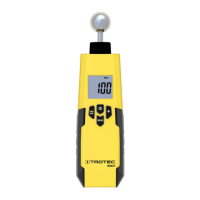
The core function of the BM31WP is to measure material moisture using a capacitive/dielectric method. This indirect measurement principle deduces moisture content from changes in the material's dielectric permittivity. The device itself is compact and features a measuring sensor, an LED indicator, and an on/off/measurement button.
When connected to the MultiMeasure Mobile app, the BM31WP offers various measurement modes and data evaluation options. For individual measurements, the device displays values that can be refreshed either via the app or by briefly pressing the measurement button on the device. The app enhances this by providing hold functions, displaying minimum, maximum, and average values, and enabling series measurements. Users can also set MAX and MIN alarm thresholds for all measured parameters within the app.
A key feature is its ability to perform matrix measurements. In this mode, measured values can be displayed two-dimensionally (as an XY-diagram) against a background image or a grid, providing a visual representation of moisture distribution across a surface.
Measurement results are displayed numerically or in chart form on the terminal device and can be saved. The app supports exporting this data in PDF or Excel format. Additionally, the MultiMeasure Mobile app includes advanced features such as report generation, an organizer function, customer management, and further analysis options. It also facilitates sharing measurements and project data with colleagues. For more professional reporting, if MultiMeasure Studio Professional is installed on a PC, users can leverage report templates and ready-made text blocks to create detailed reports.
To use the BM31WP, the Trotec MultiMeasure Mobile app must be installed on a compatible terminal device with Bluetooth activated. The connection process involves switching on the appSensor, opening the app, and connecting to the device via the SENSORS button and Connect button in the app. The LED on the device indicates its status (flashing yellow during scanning, green when connected and measuring).
Before taking measurements, the sensor needs to be calibrated to the surrounding conditions. This is an automatic process upon connection but can also be manually initiated via the app's Sensor settings. During calibration, the sensor should be held away from the body and other objects in clear space.
Material selection is crucial for accurate readings. Users must select the material to be measured (e.g., building moisture anhydrite, building moisture cement) within the app's Sensor settings menu.
For individual value measurements, the sensor should be placed at a right angle completely on the material, maintaining a minimum distance from corners. The app displays the current value, along with minimum, maximum, and average values for both digits and calculated M-% and CM-% moisture values. Measurements can be refreshed via the app or the device's button.
The device supports recording measured values for later evaluation. This is initiated by pressing the Start recording button in the app, which then presents various measurement methods: individual spot measurement (with or without image) and matrix measurement (with or without background image).
For individual spot measurement with an image, users can choose to use an existing photo from their device's gallery or take a new one within the app. Measured values are then displayed on the image at the exact measuring location. The Shift measuring point button allows for adjusting the position of these points.
Matrix measurements involve capturing a series of measuring points using a user-defined grid. The process guides the user through flashing grid fields, confirming measured values, and moving to the next column. With a background image, the grid's lines and columns can be adjusted using a slider.
Recordings can be stopped via the REC button and then saved, discarded, or resumed. Saving a recording involves entering relevant data for unambiguous assignment.
The app also allows for analyzing saved measurements. Users can access an overview of saved measurements, display specific measurements, and call up a context menu for various functions like viewing basic data, evaluations, evaluation parameters, values, and generating tables, graphics, or image overlays. Color scaling can also be adjusted for visual representation of moisture values.
The MultiMeasure Mobile app further includes functionalities for generating reports and managing customers. Reports provide quick documentation and can be created, viewed, and edited within the app. Customer management allows users to create new customer profiles, view existing ones, and import contacts from the terminal device's phone book.
The BM31WP requires minimal maintenance. Battery replacement is indicated when the LED flashes red or the device cannot be switched on. The process involves unlocking the battery compartment, removing the cover, inserting two AAA batteries with correct polarity, replacing the cover, and locking the compartment. It is important to ensure the device surface is dry and the device is switched off before changing batteries.
For cleaning, the device should be wiped with a soft, damp, and lint-free cloth. Care must be taken to prevent moisture from entering the housing. Abrasive cleaners, solvents, alcohol-based cleaning agents, or sprays should not be used. Only clean water should be used to moisten the cloth.
The device is not designed for user repair or modification. In case of malfunctions or for device testing, the manufacturer should be contacted.
Proper storage is crucial to prevent damage. When not in use, the device should be stored in dry conditions, protected from frost, heat, dust, and direct sunlight. The storage temperature should align with the operating conditions. Importantly, batteries should be removed from the device during storage.
Regarding disposal, the device, batteries, and accumulators must not be disposed of with household waste. They should be taken to designated collection points for waste electrical and electronic equipment or disposed of professionally according to relevant legal requirements, to facilitate re-use, recycling, and prevent negative environmental and health impacts from hazardous substances.
 General
| Accuracy | ±1% |
|---|---|
| Power Supply | 9V battery |
| Dimensions | 170 x 60 x 40 mm |
| Weight | 250 g |
| Measuring principle | Resistance measurement |
| Resolution | 0.1 % |
| Measuring Range | 0 to 100% |
| Material moisture groups | Wood |


 To Next Page