EN 10
Operating manual – local air conditioner PAC 2010 E / PAC 2610 E
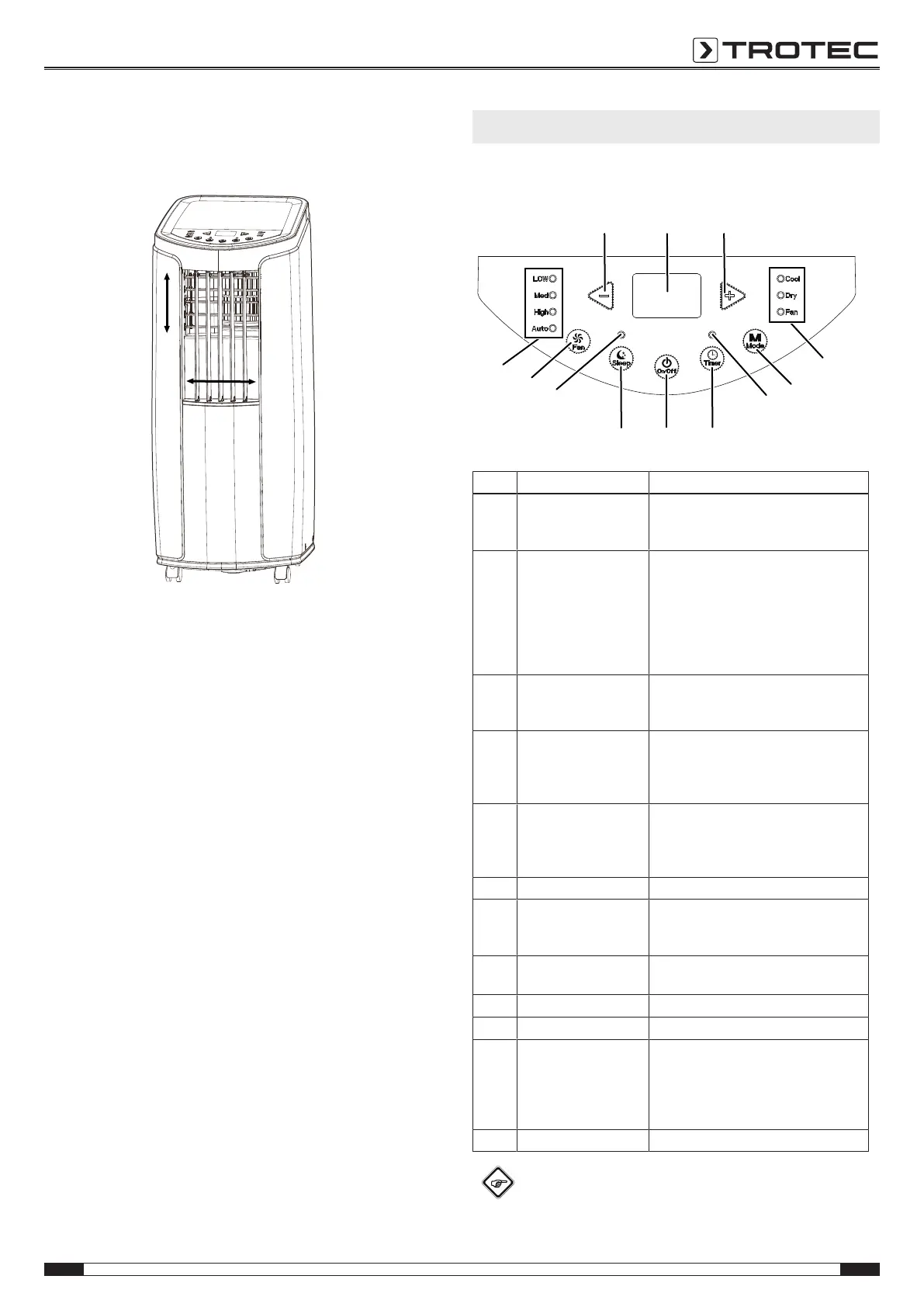
Opening the ventilation flaps
1. Prior to switching the device on, open the ventilation flaps
at the air outlet.
Connecting the power cable
• Insert the mains plug into a properly secured mains
socket.
Operation
• Avoid open doors and windows.
Operating elements
No. Designation Function
12 Minus arrow button Decreasing the target temperature (16°C
to 30°C) or the number of hours of the
timer (0.5 to 24h).
13 Segment display Indication of the target temperature in
cooling mode
Indication the number of hours during
timer programming
Indication of the error code, see chapter
Errors and faults
°C / °F indication
14 Plus arrow button Increasing the target temperature (16°C
to 30°C) or the number of hours of the
timer (0.5 to 24h).
15 Operating mode LED Indicates the selected operating mode:
Cool = cooling
Dry = dehumidification
Fan = ventilation
16 Mode button Selecting the operating mode:
cooling
dehumidification
ventilation
17 Timer LED Illuminated when the timer is activated
18 Timer button Switching the timer function on and off:
in increments of 0.5hours (0.5 to 10h)
or in increments of 1hour (11 to 24h)
19 On/Off button Power button: Switching the device on
and off
20 Sleep button Switching night mode on and off
21 Sleep LED Illuminated when night mode is activated
22 Fan button Setting the fan stage:
Low = lowest level
Med = medium level
High = highest level
Auto = automatic speed regulation
23 Fan stage LED Indicates the current fan stage
Info
An acoustic signal is emitted each time a setting is
activated.






 To Next Page