EN 14
Operating manual – local air conditioner PAC 2010 E / PAC 2610 E
Automatic switch-off
ü The device is switched on.
1. Press the Timer button(18) to activate the timer.
ð The Timer LED(17) flashes.
ð The segment display(13) indicates the number of hours
until automatic switch-off (default: 0.5).
2. Press the plus/ minus arrow buttons(12, 14) until the
desired number of hours until automatic switch-off has
been set.
ð The number of hours is indicated on the segment
display(13) for approx.5s.
3. Press the Timer button(18) to confirm the desired number
of hours until automatic switch-off.
ð The segment display(13) switches off. The Timer
LED(17) is illuminated.
ð The device keeps running until the given switch-off
time has expired.
4. Press the Timer button(18) again to deactivate the timer.
Night mode
The night mode can be activated when in cooling mode. Night
mode comes with the following settings:
• After one hour the preset temperature is increased by 1°C.
After 2hours the preset temperature will again be
increased by 1°C. Then the temperature is kept constant.
Proceed as follows to activate night mode:
1. Select cooling mode.
2. Press the Sleep button(20).
ð The Sleep LED(21) is illuminated.
ð The fan stage will automatically be set to Low.
3. In order to switch the night mode off, press the Sleep
button(20) once again.
ð The Sleep LED(21) goes out.
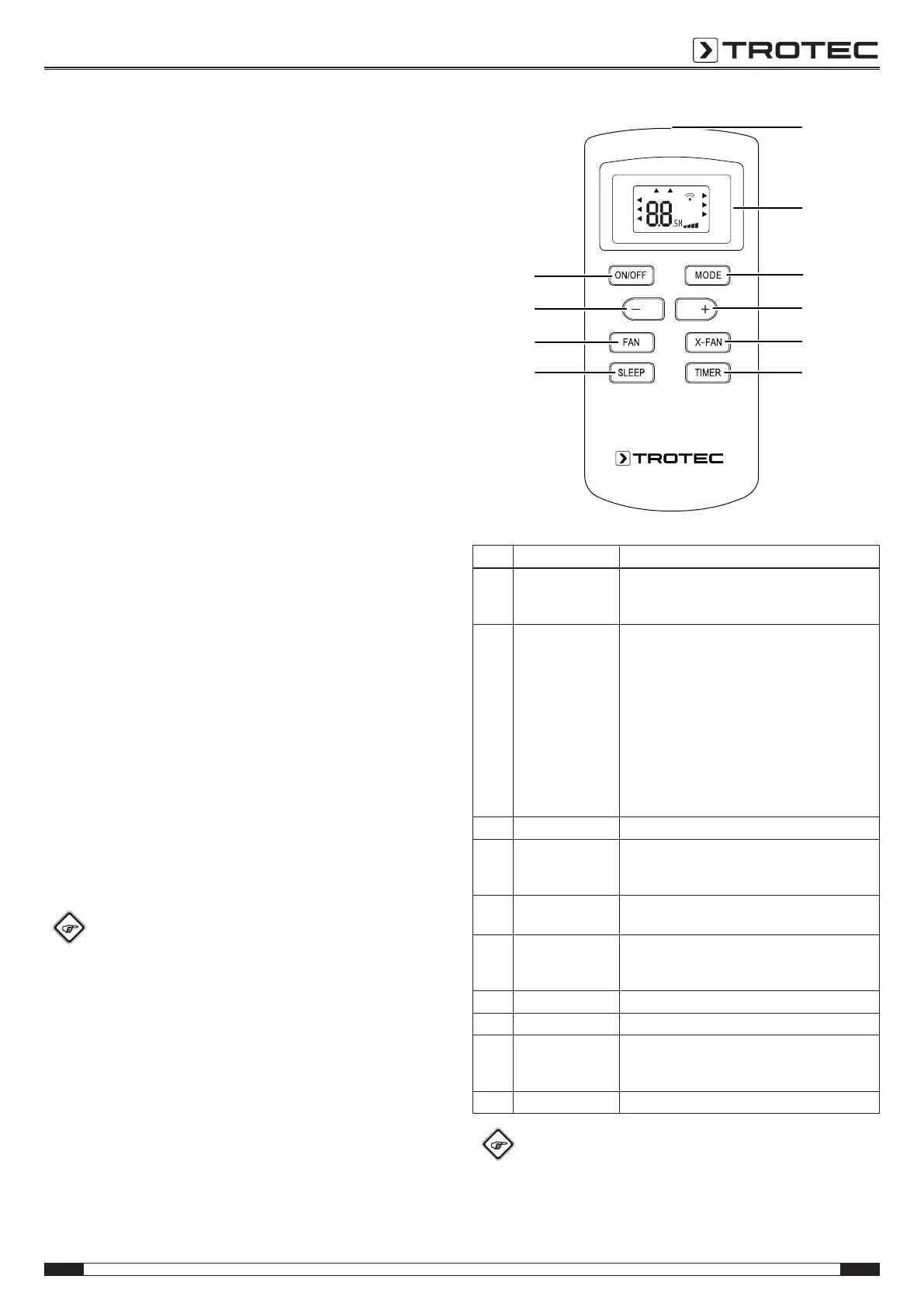
Remote control
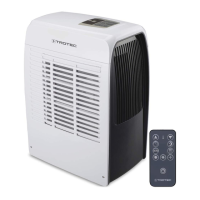
All settings of the device can also be made using the remote
control included in the scope of delivery.
Info
After a longer period of non-use, the remote control
will switch to standby mode. Standby mode can be
terminated by pressing the ON/OFF button(33) on the
remote control. The device automatically uses the
current settings entered via the remote control.
°F
OPER
AUTO
°C
T-O N T- OFF
COOL
DRY
FAN
X-FAN
SLEEP
LOCK
SPEE D
No. Designation Meaning
24 Remote control
transmitter/
receiver
Communication between device and remote
control using infrared
25 Display Indication of the target temperature during
setting
Indication of the number of hours during timer
programming
Indication of the operating mode
Indication of the fan stage
Indication of the self-cleaning function (X-FAN)
Timer on/ off indication
°C / °F indication
Key lock indication
Night mode indication
26 MODE button Selection button for the mode of operation
27 Plus button Setting the target temperature for cooling
Setting the number of hours for the timer
function
28 X-FAN button Self-cleaning function / internal drying during
stand-by
29 TIMER button Switching the timer function on and off: in
increments of 0.5hours (0.5 to 10h) or in
increments of 1hour (11 to 24h)
30 SLEEP button Switching night mode on and off
31 FAN button Setting the fan stage
32 Minus button Setting the target temperature for cooling
Setting the number of hours for the timer
function
33 ON/OFF button On/Off button: Switching the device on and off
Info
An acoustic signal is emitted each time a setting is
activated.






 To Next Page