11 EN
Operating manual – local air conditioner PAC 3500 E
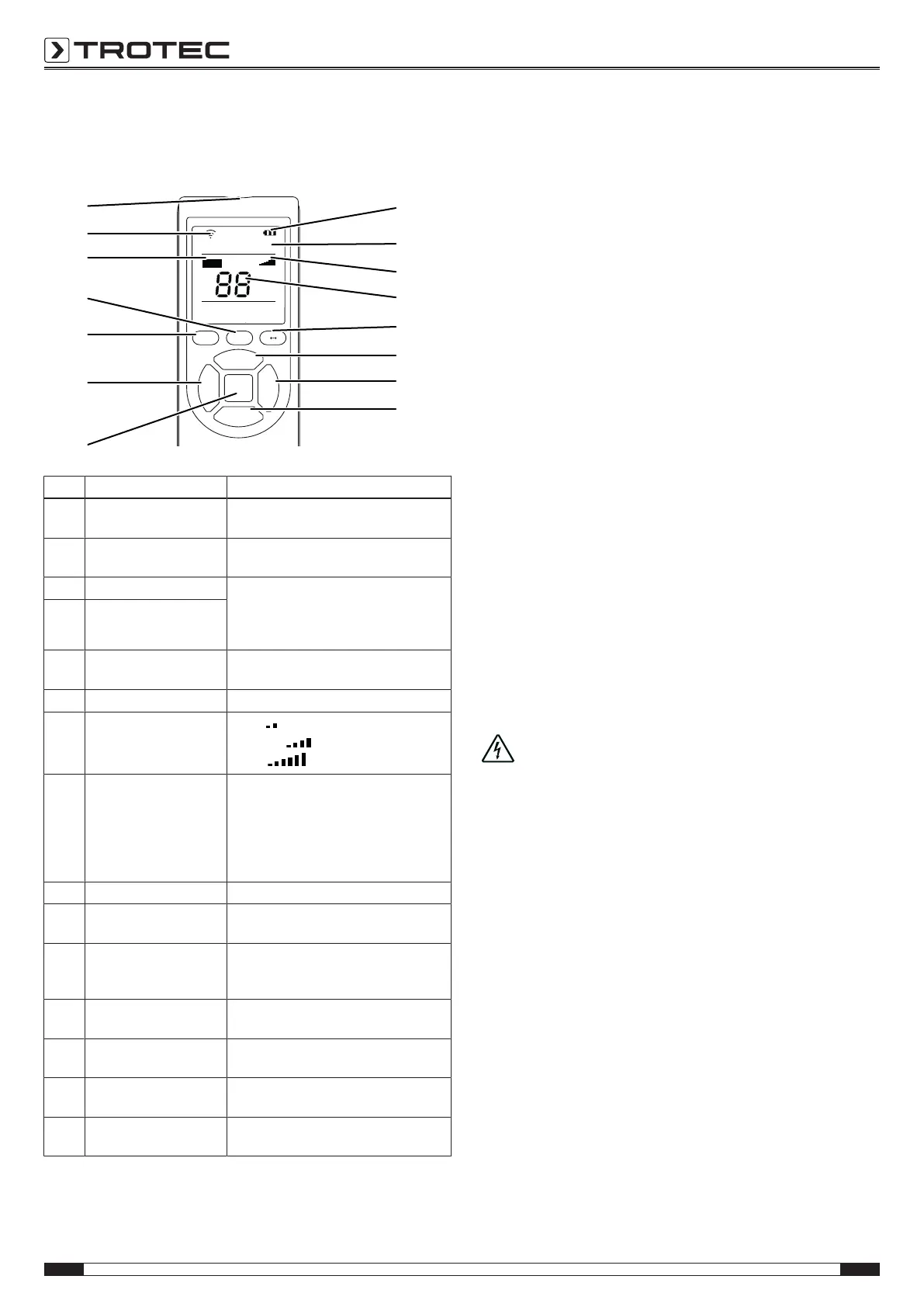
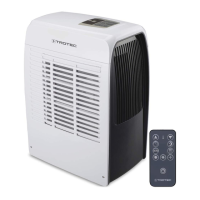
Remote control
All settings of the device can also be made using the remote
control included in the scope of delivery.
Cool Fan Dry
Heat
Timer
°C
°F
Hr
Auto
Swing
TIMER SWING °C °F
UP
FAN
POWER
MODE
DOWN
17
33
27
26
32
37
36
18
25
29
34
19
35
23
31
No. Designation Meaning
17 TIMER button Switching the timer function on or off,
1 to 24hours in increments of 1h
18 FAN button Setting the fan speed in
3 levels: high, medium and low
19 Increase value button (UP) Setting the target temperature for cooling:
value range from 16 to 30°C
Setting the number of hours for the timer:
1 to 24hours in increments of 1h
23 Reduce value button
(DOWN)
25 POWER button On/Off button:
Switching the device on or off
26 MODE button Selection button for the mode of operation
27 Fan speed indication
Low =
Medium =
High =
29 Segment display Display of current room temperature
when in operation
Display of target temperature while
setting it
Display of timer
Display of error codes
31 TIMER indication Timer active
32 Battery indication Charging status of the batteries for the
remote control
33 Operating mode indication Cool = cooling
Fan = ventilation
Dry = dehumidification
34 °C / °F button Switching temperature indication between
°C and °F
35 SWING button Adjusting the position of the ventilation
flaps
36 Transmitter indication Indicates transmission to the device when
the button is pressed
37 Remote control
transmitter/ receiver
Communication between device and
remote control
Note:
After a longer period of non-use, the remote control will switch
to standby mode. Standby mode can be terminated by pressing
the POWER button on the remote control Please note that the
device automatically takes over the current settings from the
remote control.
Swing function
The swing function can only be activated via the remote control.
Using the swing function, you can adjust the position of the
ventilation flaps or activate continuous movement of the
ventilation flaps.
1. Press the SWING button(35).
ð The ventilation flaps move up and down continuously.
2. Press the SWING button(35) again to stop the ventilation
flaps in a certain position and to switch off the swing
function.
Automatic defrost
At low ambient temperatures, ice may form at the evaporator.
The device will then carry out an automatic defrost. The
automatic defrost indication(30) appears on the display and
disappears again when automatic defrosting is finished.
The compressor switches off and the fan keeps running until
defrosting is completed. The duration of the defrost process can
vary.
Do not switch off the device during automatic defrost. Do not
remove the mains plug from the mains socket.
Shutdown
Danger!
Do not touch the mains plug with wet or damp hands.
• Switch off the device.
• Hold onto the mains plug while pulling the power cable out
of the mains socket.
• Empty the condensation tank, if need be.
• If necessary, remove the condensation drain hose and any
residual fluid from it.
• Clean the device according to the Maintenance chapter.
• Store the device according to the Storage chapter.



 To Next Page