16 EN
dehumidifier TTK 120 E / TTK 122 E
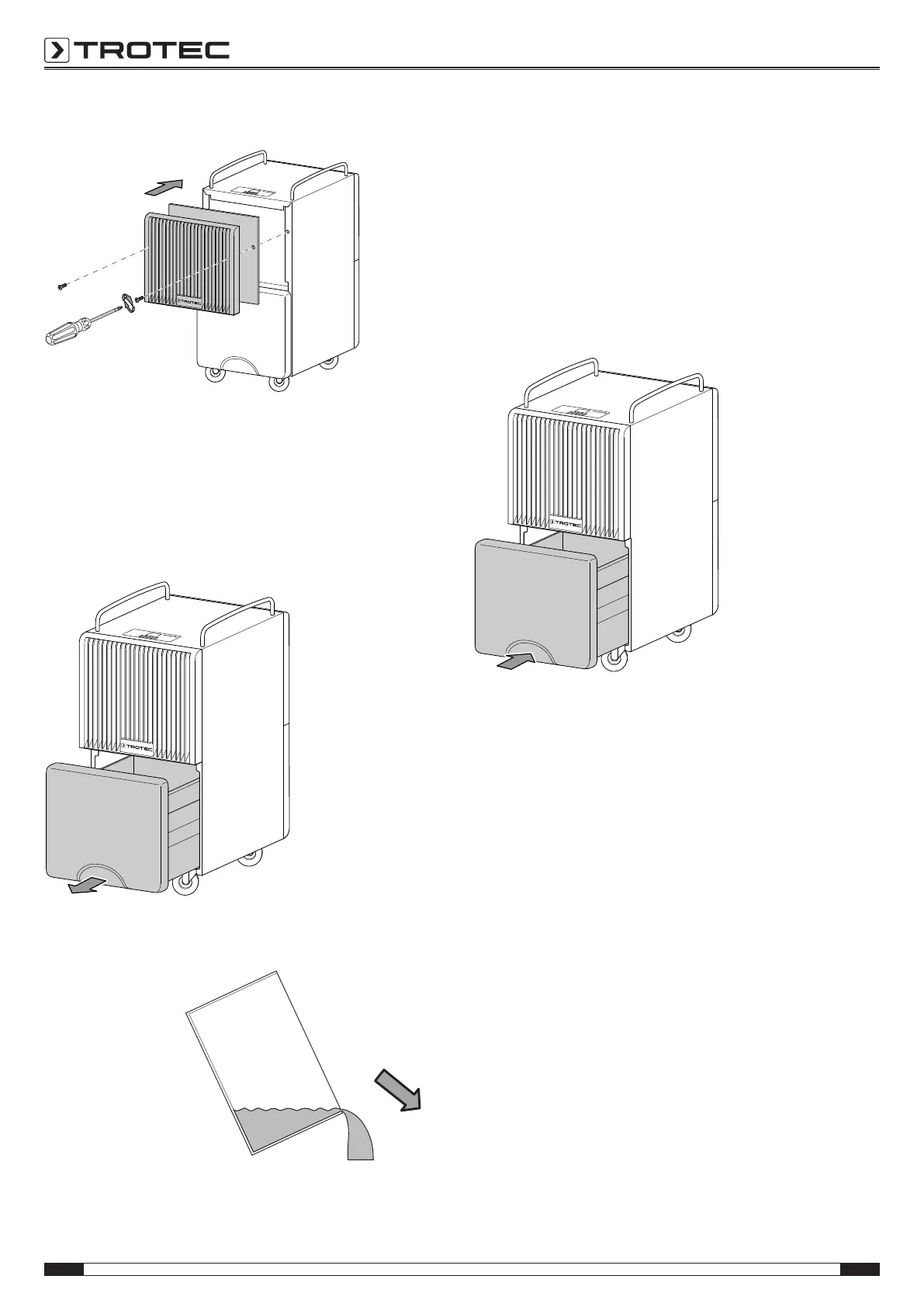
9. Refit the air inlet by inserting and tightening both screws.
Emptying the condensation tank
If the condensation tank is full or not installed correctly, the
condensation tank full LED(17) will be illuminated. The
compressor and fan will switch off.
1. Take the condensation tank out of the device.
ð Make sure not to damage the float when removing the
condensation tank.
2. Empty the condensation tank over a drain or sink.
3. Rinse the condensation tank with clear water. Regularly
clean the condensation tank using a mild cleaning agent
(no detergent!).
4.
Refit the condensation tank into the device.
Make sure not to damage the float when inserting the
condensation tank.
In doing so, make sure that the float is positioned
correctly.
In doing so, make sure that the condensation tank is
inserted correctly, for otherwise the device cannot be
switched back on.
Activities required after maintenance
If you want to continue using the device:
• Leave the device to rest for 12to24hours, so the
refrigerant can accumulate within the compressor.
Wait 12to24hours before switching the device back on!
Acting contrary might lead to compressor damage and a
malfunctioning device. If so, any warranty claims will be
voided.
• Reconnect the device to the mains.
If you do not intend to use the device for a considerable time:
• Store the device according to the Transport and storage
chapter.



 To Next Page