14 EN
dehumidifier TTK 65 E
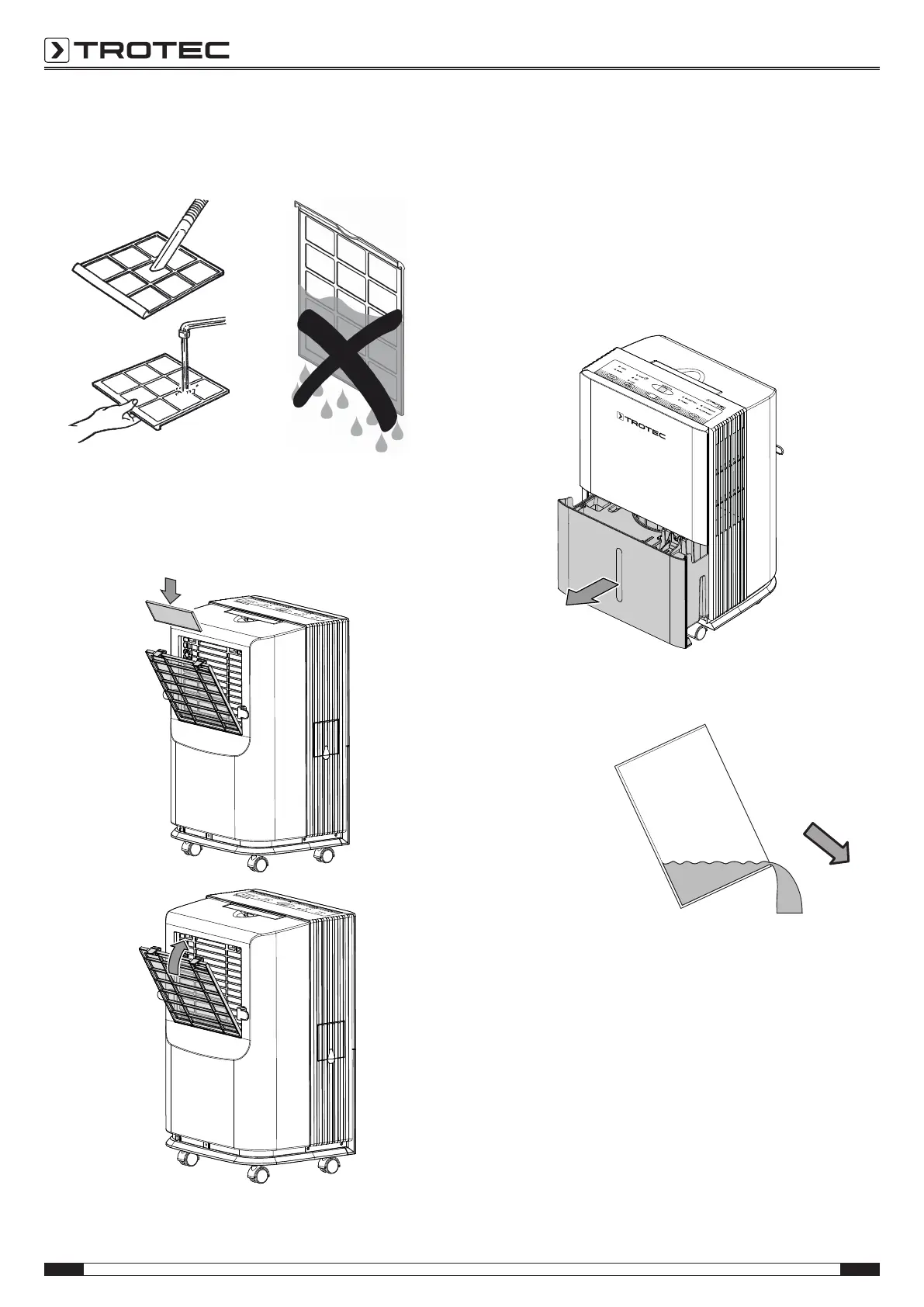
2. Clean both filters with a slightly damp, soft, lint-free cloth.
If the filters are heavily contaminated, clean them with
warm water mixed with a neutral cleaning agent.
3. Allow the filters to dry completely. Do not put any wet
filters into the device!
4. Reinsert both the air filter and the additional filter into the
device.
5. Switch the device on by pressing the ON/OFFbutton(17).
6. Press the FILTER button(16).
ð The FILTER RESET LED(14) goes out.
Emptying the condensation tank
If the condensation tank is full or not inserted correctly, the
device will stop the dehumidification operation. After a period of
3minutes the fan switches off and the BUCKET FULL LED(13)
flashes.
1. Take the condensation tank out of the device.
2. Empty the condensation tank over a drain or sink.
3. Rinse the tank with clear water. Clean the tank regularly
using a mild cleaning agent (no detergent!).



 To Next Page