10 EN
dehumidifier TTK 71 E
Setting the fan speed
You can choose between low and high fan speed (laundry drying
function).
1. Press the MODE button(18) to select either low or high fan
speed (laundry drying function).
ð The selected fan speed is indicated by the HIGH
indication(20) for high fan speed, or by the LOW
indication(21) for low fan speed.
Automatic dehumidification
In this operating mode, the device operates fully automatically
depending on the room humidity level. The room humidity level
is preset to55% and cannot be changed.
The fan runs at high speed at humidity levels above 70%. The
fan runs at low speed at humidity levels below 70%.
If the humidity value falls below the preselected level, the
compressor will switch off automatically. The fan keeps
running. Once the preselected humidity level is exceeded, the
compressor switches back on.
Please proceed as follows to activate Automatic
dehumidification:
1. Press the MODE button(18) until the Auto indication(19)
appears.
ð Automatic dehumidification is now activated.
Continuous operation
The device dehumidifies the air constantly and regardless of the
room humidity.
The relative humidity cannot be adjusted in this operating mode.
1. To start continuous operation mode, press the decrease
value(9) or increase value button(11) until CO is shown on
the segment display (10).
Info
For continuous operation a condensation drain hose
can be connected in order to continuously drain the
accumulating condensate.
Setting the timer
The timer has the following mode of operation:
• automatic switch-off upon expiry of a preset number of
hours.
The number of hours can be between 0 and 12 and can be
adjusted in increments of 1h.
Note
Do not leave the operating device unattended in a
freely accessible room with an activated timer.
Automatic switch-off
ü The device is switched on.
1. Press the TIMER button(17).
ð The TIMERindication (16) is enabled.
2. Press the increase value(11) or decrease value arrow
button(9) to set the desired number of hours.
3. Wait for approx. 5seconds in order to save the setting.
ð The segment display(10) shows the set number of hours
until switch-off.
ð The timer setting equals the desired number of hours.
ð The device switches off after the set period of time.
Auto stop function
If the water tank is full, not inserted correctly or the set room
humidity has been reached, the device will stop automatically.
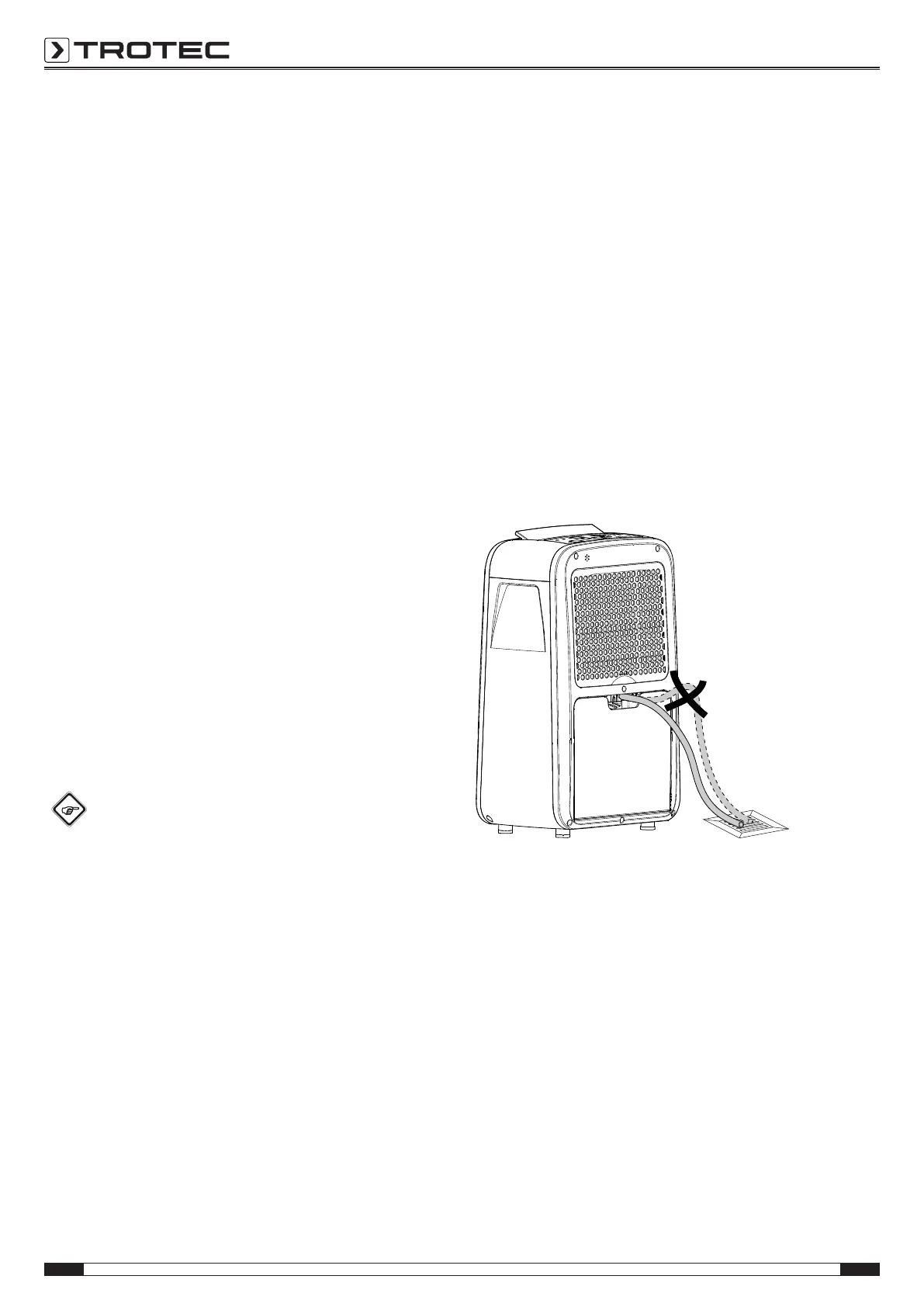
Operation with hose attached to the condensation
connection
For continuous operation or unattended dehumidification, please
connect a suitable condensation drain hose to the device.
ü A suitable hose (diameter: 12mm) is ready for use.
ü The device is switched off.
1. Push one end of the hose onto the hose connection.
2. Guide the other hose end to a suitable drain or sufficiently
dimensioned collection container. Please note that the
hose must not be kinked.
Remove the hose if you want to collect the condensate in the
condensation tank again. Allow the hose to dry prior to storage.
The hose can be connected in any operating mode for
continuous operation.
Automatic defrost
At low ambient temperatures, ice may form at the evaporator
during dehumidification. The device will then carry out an
automatic defrost. Dehumidification is briefly interrupted during
defrosting. The fan keeps running.
The duration of the defrost process can vary. Do not switch off
the device during automatic defrost. Do not remove the mains
plug from the mains socket.
The DEFROST indication(15) is illuminated during automatic
defrosting.



 To Next Page