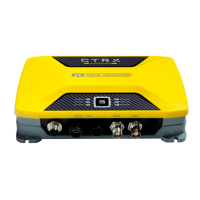
AIS-CTRX Class B AIS Transponder Manual
If an external display unit is to be used (such as a chart plotter, PC serial terminal or other display
device) connect the user end of the data interface cable to the display device. Note that the software
in the display device must be configured for AIS operation AND to accept standard Class B operation
NMEA sentences. This external display unit software is not part of the AIS-CTRX transponder
package.
Connect a 12V DC supply (9.6-15.6V) capable of supplying 2A peak to the DC power lead (brown/red
= positive, black/blue=negative). It is recommended that the supply voltage be SELV in accordance
with EN 60950-1.
The case of the unit is not isolated from the negative terminal of the supply and therefore it is
recommended that the unit is not attached to metal parts of the vessel.
Physical Mounting
It is recommended that the unit is attached to a solid wooden surface with 20mm M3 self tapping
screws. A template for drilling pilot holes is shown on page 39.
1.1E 20 LD2103


 To Next Page