CHAPTER 4: T9 TOUCHSCREEN CONSOLE OPERATION
Truetness.com / 800.426.6570 / 636.272.7100 21 of 29
ADVANCED CONSOLE FUNCTIONS:
Entering Service Mode:
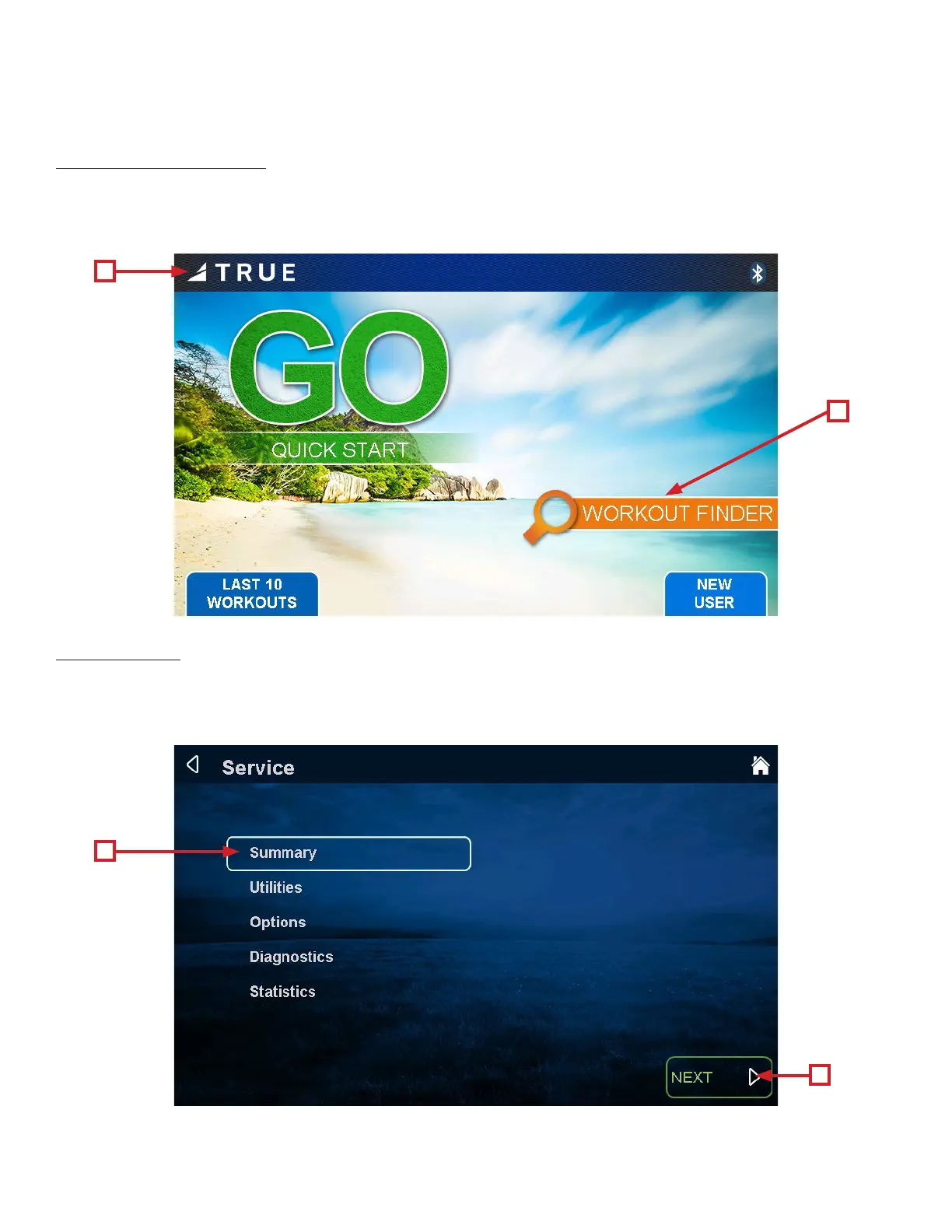
Entering Service Mode can be completed by touching and holding the upper le section of the screen (A) for 3-5 seconds
or until the TRUE logo begins to blink. Next, hold the “Workout Finder” icon (B) until the “Service” screen displays.
Service Menu:
e rst screen displayed aer entering service mode is the Service Menu. From this menu technicians can access all of the
service mode features by selecting dierent categories. Touch an item to to highlight a category (A) then select the “Next”
button (B).
A
A
B
B


 To Next Page