CHAPTER 4: T9 TOUCHSCREEN CONSOLE OPERATION
Truetness.com / 800.426.6570 / 636.272.7100 25 of 29
ADVANCED CONSOLE FUNCTIONS:
Options Menu:
Max Workout Time:
is setting will limit the amount of time that all workouts can last. By choosing the “O ” setting, the time will be
unlimited (this setting does not apply to manual workouts or distance workouts).
Finder Timeout:
Choose how long the Workout Finder remains on the screen without any user interaction. By choosing o, the
Workout nder will stay open until closed by a user.
Setup Timeout:
Choose how long the workout data entry screen will remain on the display without any user interaction. By
choosing the “o ” setting, the data entry screen will be displayed until closed by a user
Summary Timeout:
Determines the amount of time the Workout Summary Screen will remain on the display. By choosing the “O”
setting, the summary will be displayed until ended by a user.
Pause Time:
is setting will limit the amount of time that a workout can be paused before it automatically ends. By choosing
the “O ” option, the unit will remain paused until the user resumes or ends the workout.
Factory Defaults:
Resets all settings in the options menu to factory defaults.
Diagnostics Menu:
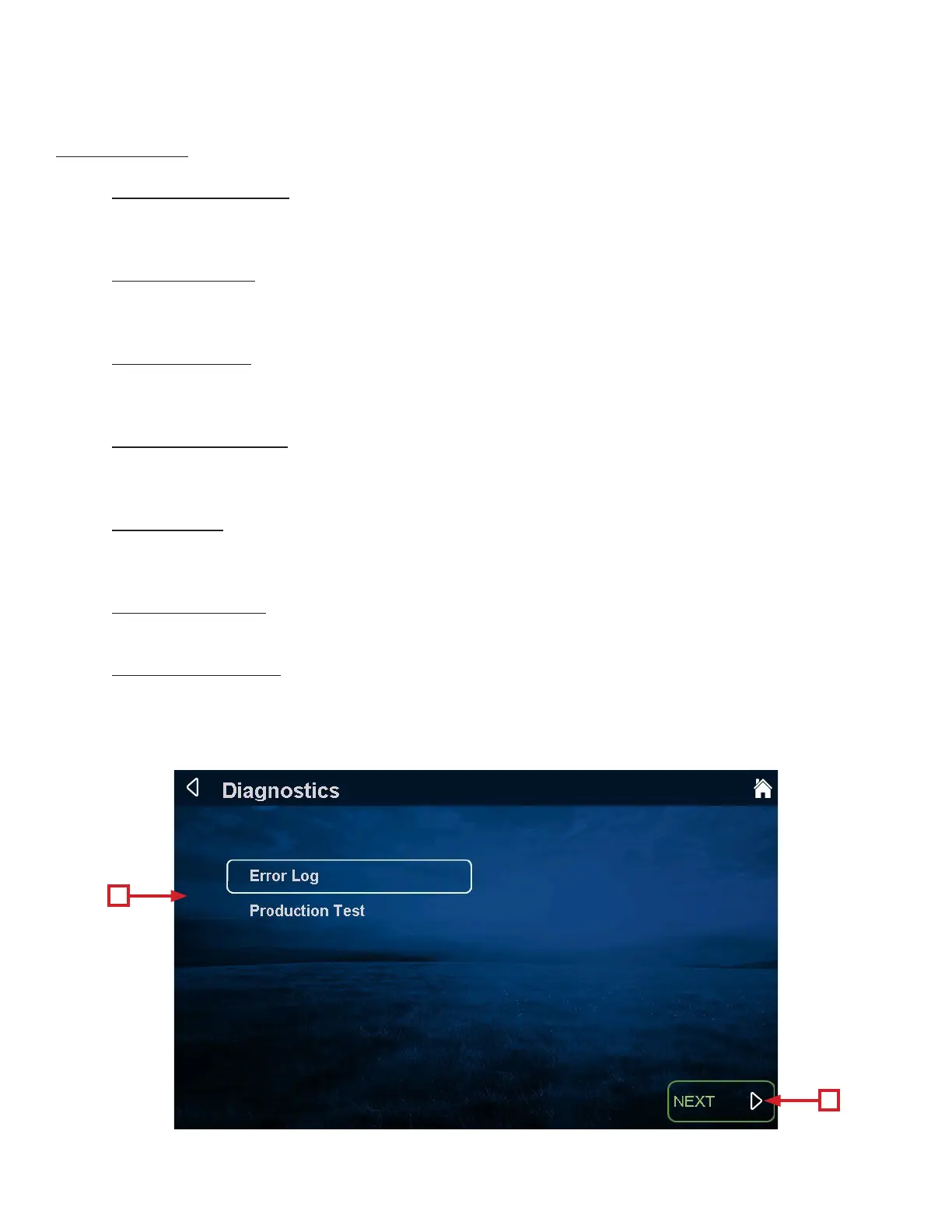
e diagnostics menu contains tools used to help diagnose errors and performance issues. e tools are broken
down into three categories. To use a tool, highlight a category (A) by using the scroll selection buttons and
pressing the enter selection button (B) to conrm the selection.
A
B


 To Next Page