10
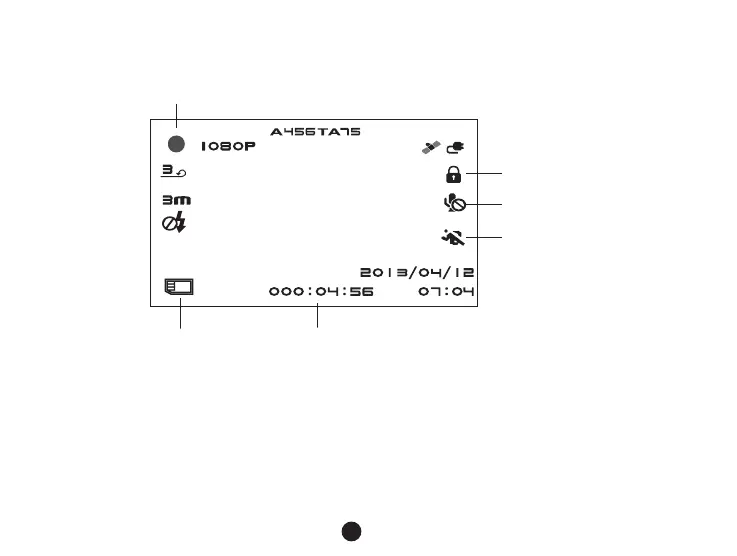
In the recording status of the video mode, LCD display will be shown as bellow:
Flashing red dot indicates that the device is recording.
Recording time
File protection
Mic off
Motion detection
TF card icon
h) Photo mode
Anytime in the video mode, press the photo button to take a photo.
In the playback mode when a video is playing, press the photo button to take a snapshot of the current video.
i) Playback mode
Press the mode button to enter the playback mode, then press the menu button to choose a preview of



 To Next Page