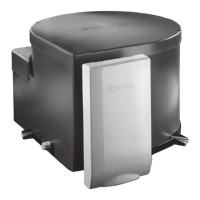
FITTED EQUIPMENT
98
Set clock
Set timer 1
Back (Return to main screen)
Start (Set start time)
Stop (Set stop time)
Water (Set water temperature)
Temp (Set room temperature)
The timer settings can be made every day until
the timer is switched off. If the room or water
temperature is changed outside the timer
menu, the timer is automatically switched off.
Trouble shooting list
Fault Rectification / Cause
Clock is not shown Set clock
Activated timer is not shown anymore Power supply was interrupted
Room temperature is not shown Heater not active
Device does not react anymore Interrupt power supply for 10 seconds
Heater / display does not react Check 12 V supply voltage
If these measures do not rectify the problem,
please contact the next Truma service point
(See Truma service book or www.truma.com)
Set timer 2
Back (Return to main screen)
Start (Set start time)
Stop (Set stop time)
Water (Set water temperature)
Temp (Set room temperature)
The timer setting can be made every day until
the timer is switched off. If the room or water
temperature is changed outside the timer
menu, the timer is automatically switched off.
Buzzer on / off (select SET on / off)
Backlight (brightness levels 0-9)
Note: If no action is taken, the display
switches back to the main screen after a few
seconds. The lighting switches off after a
short delay.
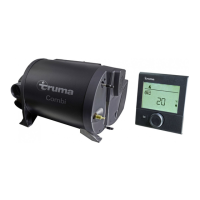
TRUMA CP 25 DIGITAL TIMER CONTROL


 To Next Page