Trust Ami Mouse Wireless 200
11
GB
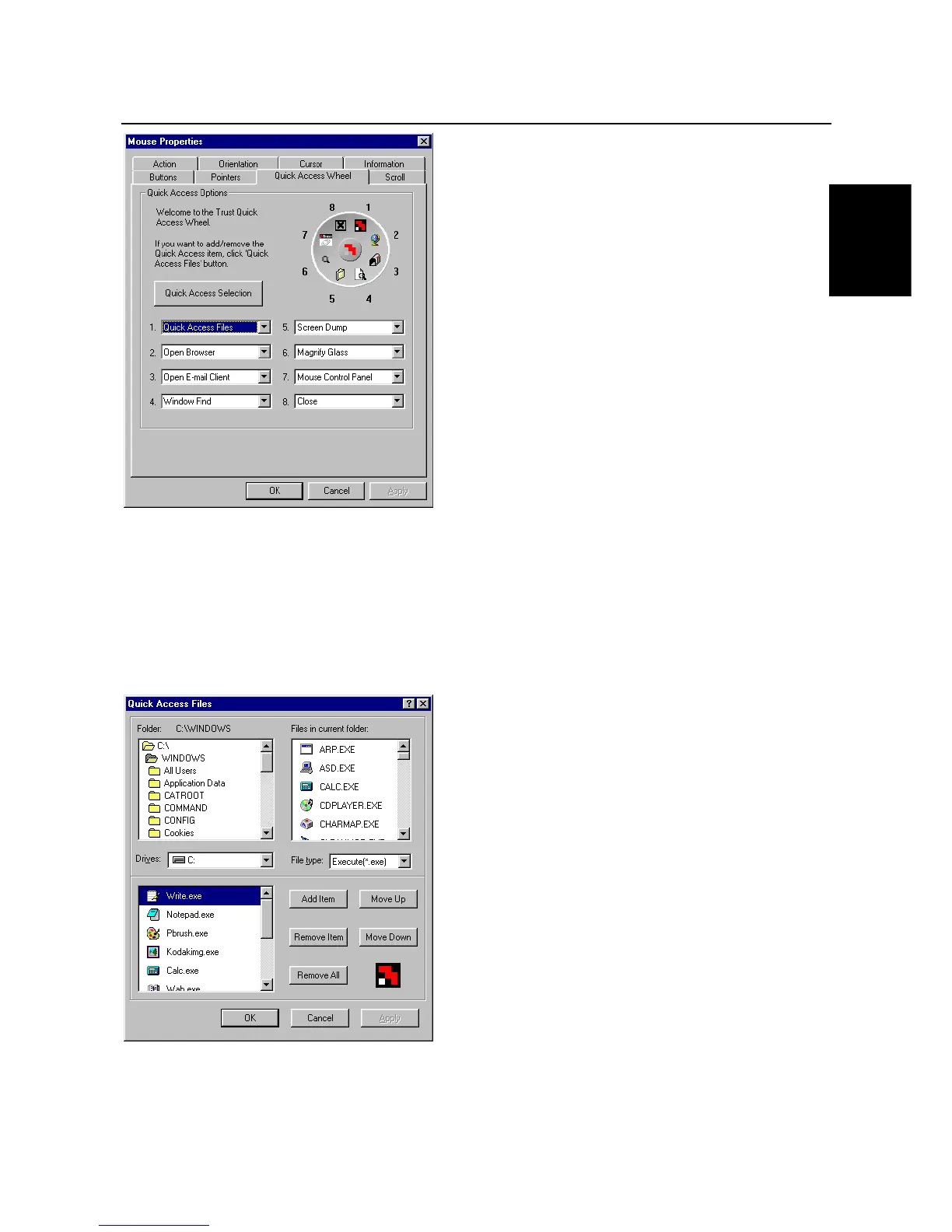
Figure 15: Mouse Properties - Quick Access Wheel
For each item, click the down arrow to select the desired function.
Use the Quick Access Files option if you wish to add an application or function to the Quick Access Wheel.
This option opens a window that can include a maximum of 10 applications or functions.
Click on the 'Quick Access Selection' button to change these applications or functions. Chapter 8.3.1 gives
more information about Quick Access Selection.
Click on 'Apply' to activate the alterations.
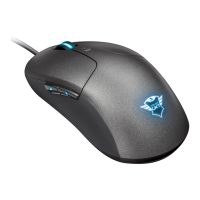
8.3.1 Quick Access Selection
Figure 16: Quick Access Files
This window is used to add/remove items for the Quick Access Files.
Drives
Give the location of certain items



 To Next Page