Trust Ami Mouse Wireless 200
15
GB
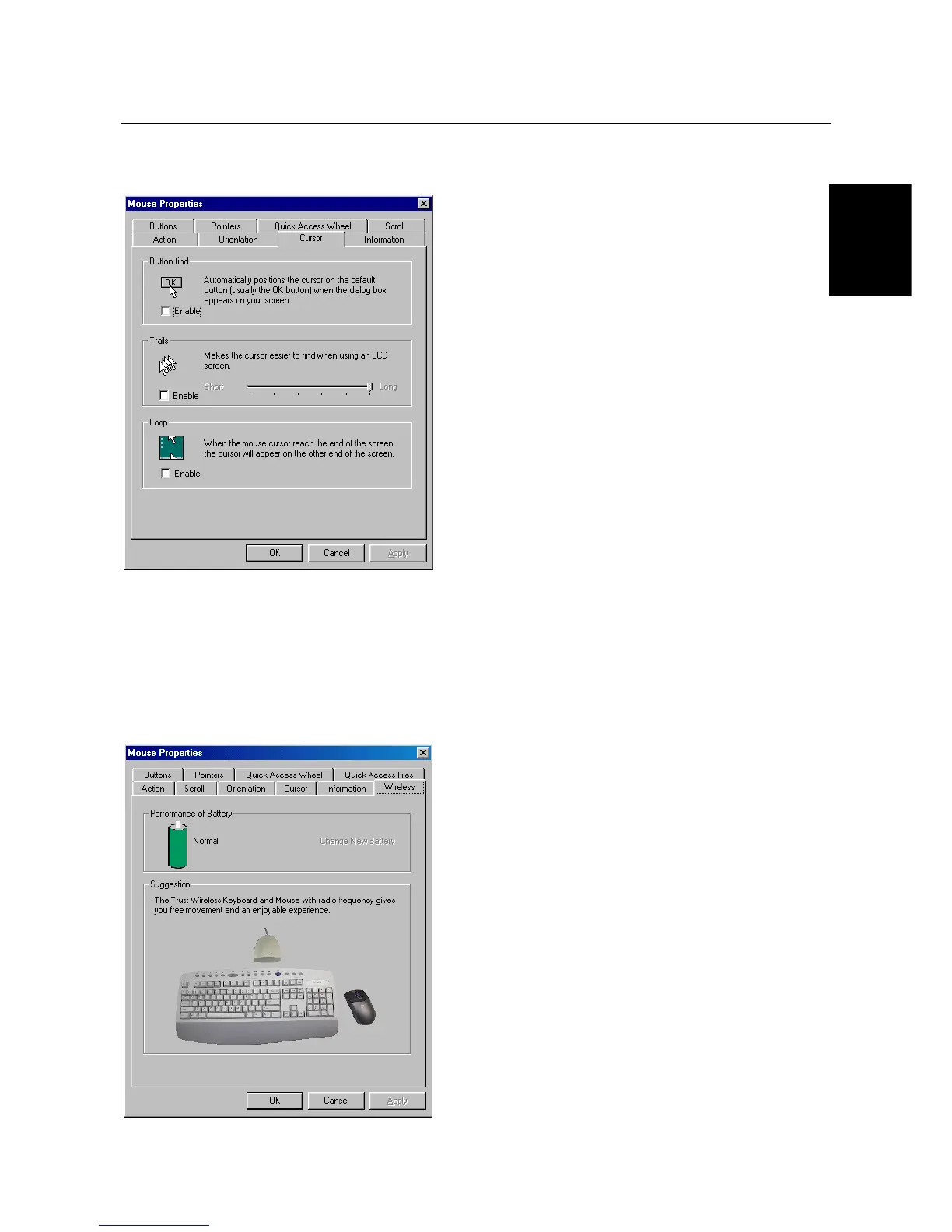
8.7 'Cursor' tab
Extra mouse pointer properties are included in the cursor tab.
Figure 20: Mouse Properties - Cursor
Button Find:
By selecting this option, the mouse automatically jumps to the active button.
Trails:
This option makes it easier to find the mouse pointer. This function only works on an LCD
monitor.
Loop:
When this option is selected and the mouse pointer reaches the end of the screen, it will
reappear at the other side.
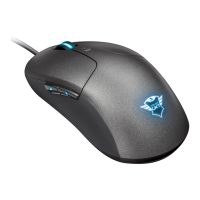
8.8 'Wireless' tab
Figure 22: Mouse properties - Wireless



 To Next Page