Trust Ami Mouse Wireless 200
7
GB
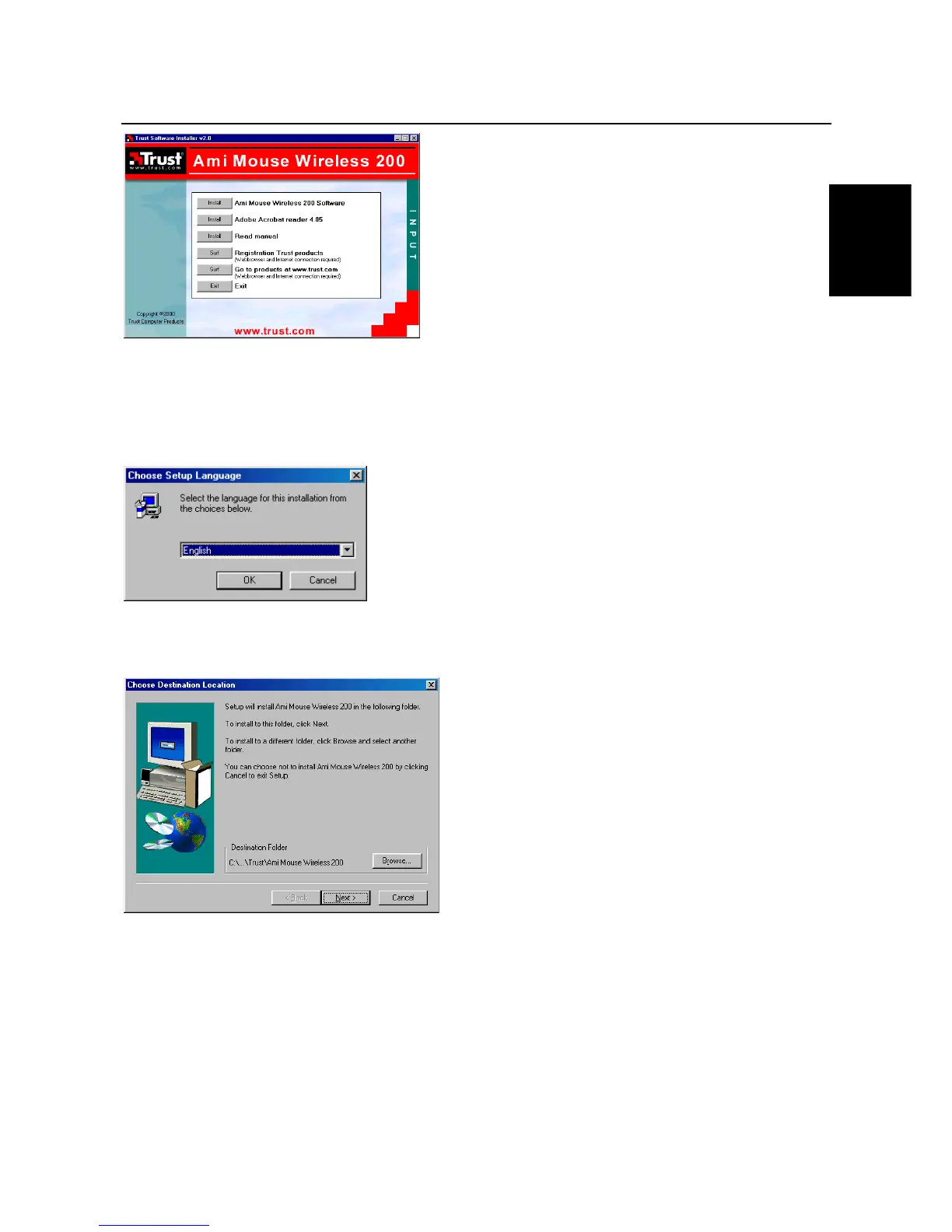
Figure 7: Trust Software Installer
See chapter 7.2 for instructions on how to install the software for the mouse.
7.2 Installing the mouse software
1. Start the Trust Software Installer (see chapter 7.1).
2. Select the option ‘Install Ami Mouse Wireless 200 Software’ (see figure 7). Figure 8 will appear.
Figure 8: Installation
3. Select the language you wish to use to install the software.
4. Click on 'Next'. Figure 9 will appear.
Figure 9: Specifying a location for the driver
5. Click on 'Next'. Figure 10 will appear.



 To Next Page