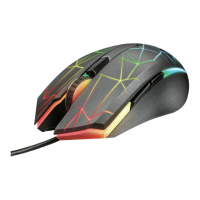
Trust Ami Mouse Wireless 200
1
GB
Contents
1. Introduction ..................................................................................................................................... 2
1.1 Conventions used in the manual............................................................................................ 2
1.2 Contents of the package.......................................................................................................... 2
1.3 Minimum system requirements .............................................................................................. 2
2. Safety................................................................................................................................................ 3
2.1 General information ................................................................................................................. 3
2.2 Batteries .................................................................................................................................... 3
3. Installing the batteries .................................................................................................................... 4
4. Channel selection............................................................................................................................ 5
5. Connecting the mouse ................................................................................................................... 5
6. Use.................................................................................................................................................... 6
7. Installation ....................................................................................................................................... 6
7.1 Trust Software Installer ........................................................................................................... 6
7.2 Installing the mouse software................................................................................................. 7
8. Setting the mouse properties ........................................................................................................ 8
8.1 'Buttons' tab.............................................................................................................................. 8
8.1.1 Button assignment............................................................................................................ 9
8.1.2 Mode ................................................................................................................................... 9
8.1.3 Profile configuration ......................................................................................................... 9
8.2 'Pointers' tab........................................................................................................................... 10
8.3 'Quick Access Wheel' tab ...................................................................................................... 10
8.3.1 Quick Access Selection .................................................................................................. 11
8.4 'Scroll' tab ............................................................................................................................... 12
8.5 'Action' tab .............................................................................................................................. 13
8.6 'Orientation' tab ...................................................................................................................... 14
8.7 'Cursor' tab.............................................................................................................................. 15
8.8 'Wireless' tab........................................................................................................................... 15
8.9 'Information' tab ..................................................................................................................... 16
9. Maintenance .................................................................................................................................. 16
10. Removing the driver ..................................................................................................................... 17
11. Troubleshooting............................................................................................................................ 18
12. Specifications ................................................................................................................................ 19
13. Trust Customer Care Centers ...................................................................................................... 20
Appendix A: Functions for button assignment ....................................................................... 21
Appendix B: Preference settings ........................................................................................... 23



 To Next Page