USER’S MANUAL
1
Product information
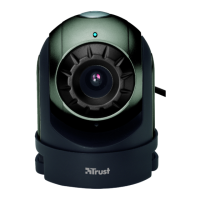
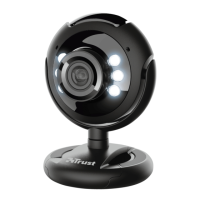
A: Adjustable lens ring
B: Status LED
C: Multi purpose clamp
D: Light
E: Light button
F: USB cable
UK
Installation
1
PC on. Place CD in CD-ROM.
Windows Vista: Allow and execute all necessary actions.
2
Install driver; (1) “Latest driver from website”. (2) “Continue”. (3) “Download”. (4) “Run”.
Windows Vista: Allow and execute all necessary actions.
3 Follow on-screen instructions.
4 Place webcam; Connect USB.
5 Wait until Windows completes installation automatically.
Use webcam
6 Install Arcsoft Webcam Companion software from CD. Follow on-screen instructions.
7 Double click icon to start program. Click “Capture”.
8 Adjust lens ring untill image is focused. Press backside button to enable extra light.
9
Click “Capture”, “Burst” or “Record Video” to capture images. Images are saved automatically (default
folder: “My Documents\WebCam Media”).
Note
Software
• Use messenger service, like Live Messenger, for video calls. For help and information about Live Messenger
check www.msn.com.
• AmCap is a built-in video application (Start – All Programs – Trust – Webcam Live – Amcap). However, the
webcam can also be used with any other video program.
• Read manual on CD for detailed webcam options and use of AmCap (only available in English).
• The AmCap video settings (like image control, zoom, face tracking, special effects, etc.) are also available
within other video programs: Open the webcam settings of particular video program to enable/disable these
webcam features.
• The additional software on CD may only be available in English. Use it optionally to organize and to make or
edit videos and pictures.
• Use its Help if assistance is needed. See www.arcsoft.com for more info.
• The driver on CD may be a preliminary version. It’s recommended to download and install the latest driver
(see 2).
• Always uninstall old driver, unplug Trust product and restart computer before installation of updated driver!


 To Next Page