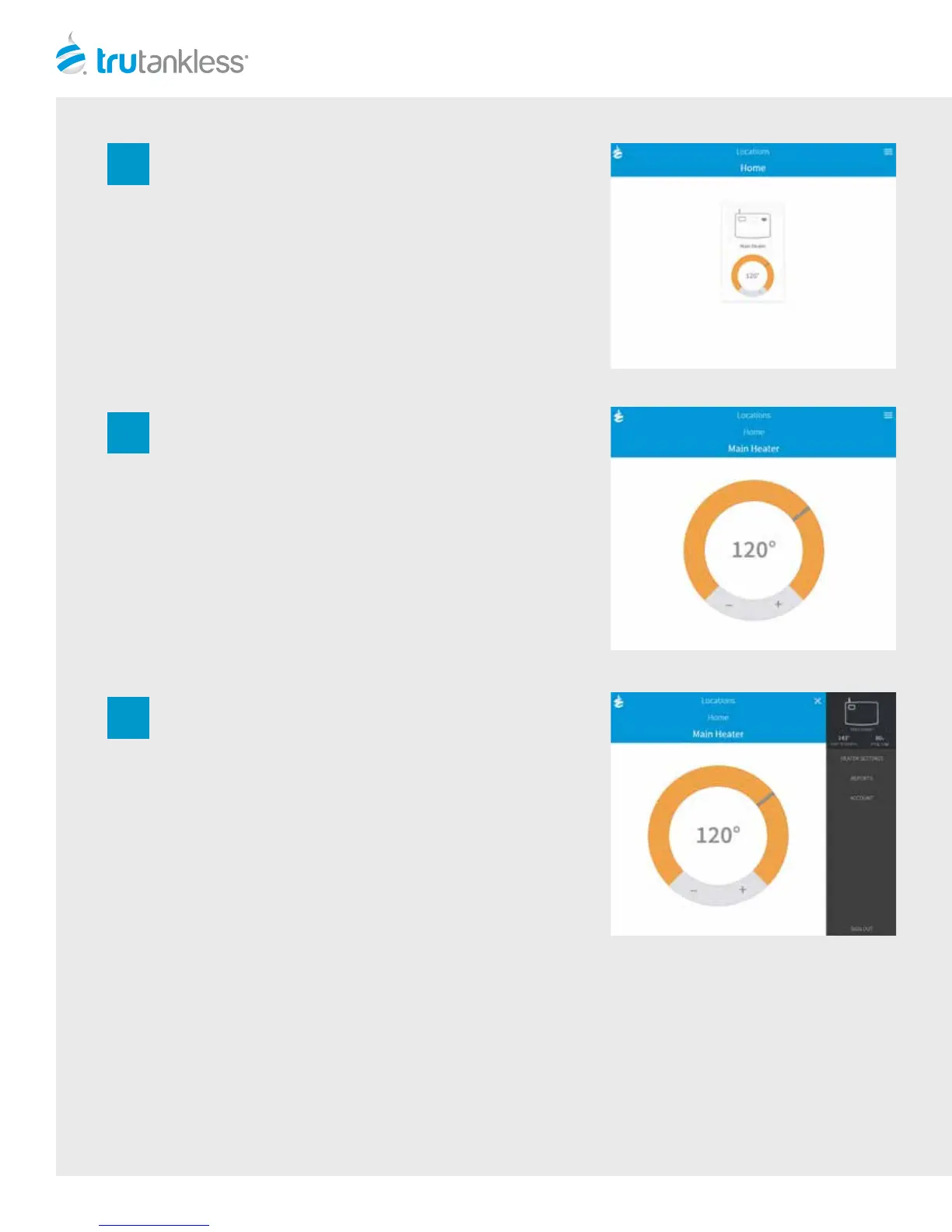
The system will then automatically take you to the
Dashboard. The Dashboard is your account home page.
From the Dashboard you can see the status of your unit,
adjust the temperature set point on your unit, and see real
time and historical usage data.
By pressing the System Status icon, you will be able to
adjust the temperature in real time for your system.
To adjust the set point for your system, simply press “+” or
“-”to set the desired temperature.
By pressing the top right menu, you will be able to access
the “HEATER SETTINGS”, “REPORTS”, and“ACCOUNT”
2
3
4
REPORTS
With every minute that passes, your system calculates the gallons used and reports it on the Gallons per Minute report. To
see historical usage data on your system, scroll down to the bottom of the page and and click the Next button to access
the Usage Report under that report feed.
The Usage Report shows the history of your unit and the number of gallons used each day. This report allows you to select
time periods to compare to your current usage and lets you see trends in your water usage patterns for your location.
12


 To Next Page