10
CONNECTIONS
B.CONNECTING TO B.CONNECTING TO
B.CONNECTING TO B.CONNECTING TO
B.CONNECTING TO
SOURCES WITH COMPONENT VIDEO OUTPUTSOURCES WITH COMPONENT VIDEO OUTPUT
SOURCES WITH COMPONENT VIDEO OUTPUTSOURCES WITH COMPONENT VIDEO OUTPUT
SOURCES WITH COMPONENT VIDEO OUTPUT
(DVD - ONL(DVD - ONL
(DVD - ONL(DVD - ONL
(DVD - ONL
Y 480I, 480PY 480I, 480P
Y 480I, 480PY 480I, 480P
Y 480I, 480P
, 720P & 1080I ARE SUPPOR, 720P & 1080I ARE SUPPOR
, 720P & 1080I ARE SUPPOR, 720P & 1080I ARE SUPPOR
, 720P & 1080I ARE SUPPOR
TED)TED)
TED)TED)
TED)
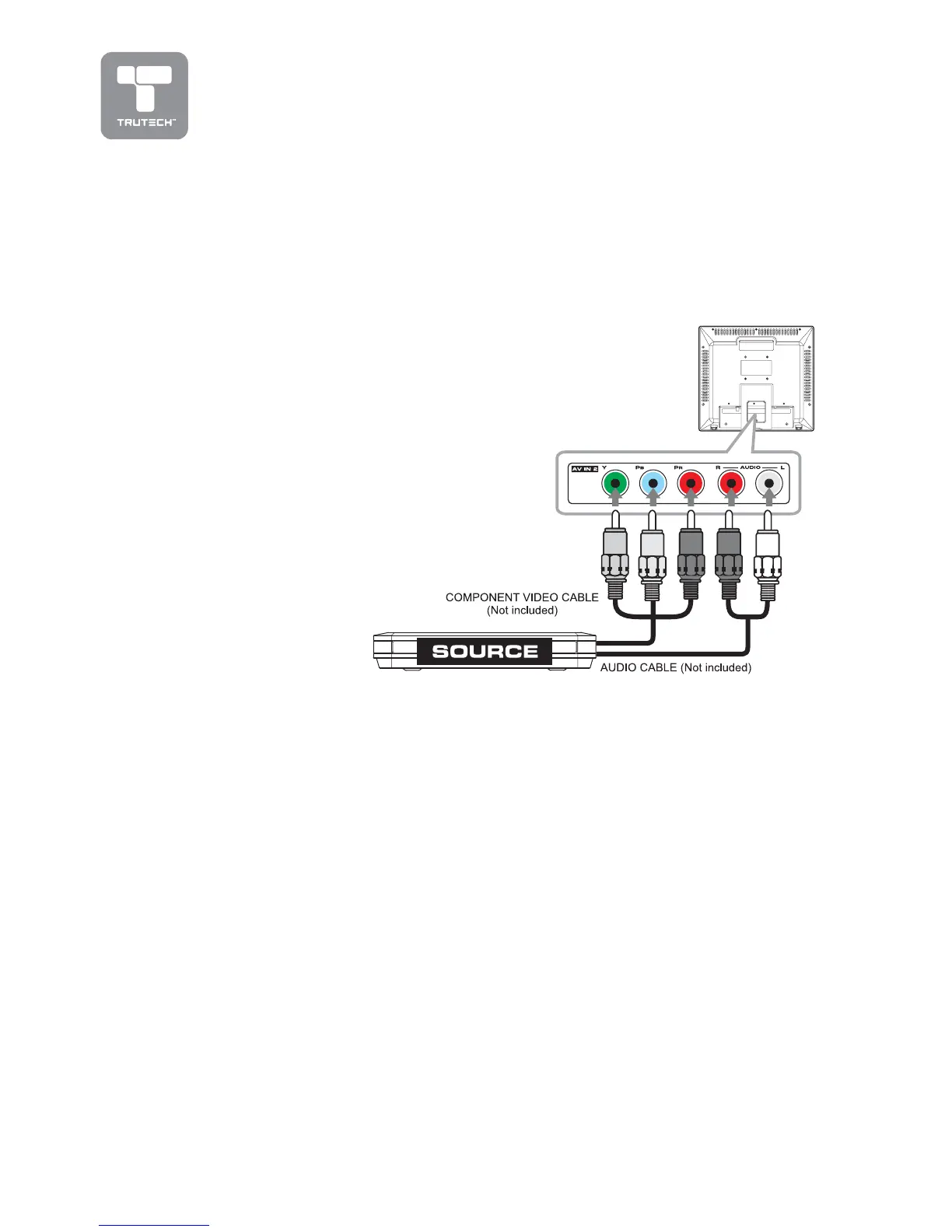
Devices with component video output must be connected to the AV2 input:
Connect the three video outputs (Y, Pb, Pr) from the SOURCE to the
corresponding video inputs on this unit (Component video cable not included).
Connect the right
(red) and left (white)
audio output from the
SOURCE to the right
(red) and left (white)
input on this unit
(Audio cable not
included).
Make sure you
connect both audio
and video from the
same SOURCE to
AV2.
Note:Note:
Note:Note:
Note:
Please refer the user
manual for your
component video
SOURCE for more
information and
connection details.


 To Next Page